How to find someone's email by phone number: What actually works
A phone number rarely hands you an email on its own. See the methods that work, five real failure points, and how to verify the address before you send it.
 Michael Doyle14 min read
A phone number alone will not hand you an email address. It gives you a starting point: a reverse lookup name, a linked social account, or a company you can trace to a domain. From there you confirm the person, find their employer, build or locate the address, then verify it before you send anything.
What you need before you start
This works best when the phone number belongs to someone with a public professional footprint: a LinkedIn profile, a company website listing, or an active social account tied to the same number. A personal mobile number with no employer, no social presence, and no public listing will often dead end no matter which method you try.
Helpful to have on hand: the person's full name if a reverse lookup surfaces one, the company they work for if you can find it, and the platform where you first saw the number. Most single methods below succeed only a fraction of the time; combining two or three is what actually gets a result.
This applies whether you are an SDR building a call list, a recruiter tracking down a candidate, a small team doing your own prospecting, or anyone else trying to reach a specific business contact rather than buy a list. A phone number is only one starting point among the wider set of methods for finding someone's email address, so if you already have a name instead, a different approach will get you there faster.
One thing to settle before you start reaching out: the CAN-SPAM Act "gives recipients the right to have you stop emailing them," among other requirements, so plan your first message with a clear opt out built in rather than adding one later.
Start with what the number itself tells you
What happens: Before you search anywhere, look at the number itself. The area code narrows the region. Whether it rings through as a mobile carrier or a landline changes which lookup tools will even return a result, since most consumer reverse lookup databases were built from public directory listings that mobile numbers were never automatically part of.
One common method is calling the number and simply asking directly. It can work, but it carries a cost worth knowing about first. Carriers now run caller ID authentication that digitally signs and verifies calls between networks, so a business number with no call history behaves differently to the receiving carrier than an established one, and repeated outbound calls to numbers you have no relationship with raise the odds of your own line getting tagged as suspicious to future recipients.
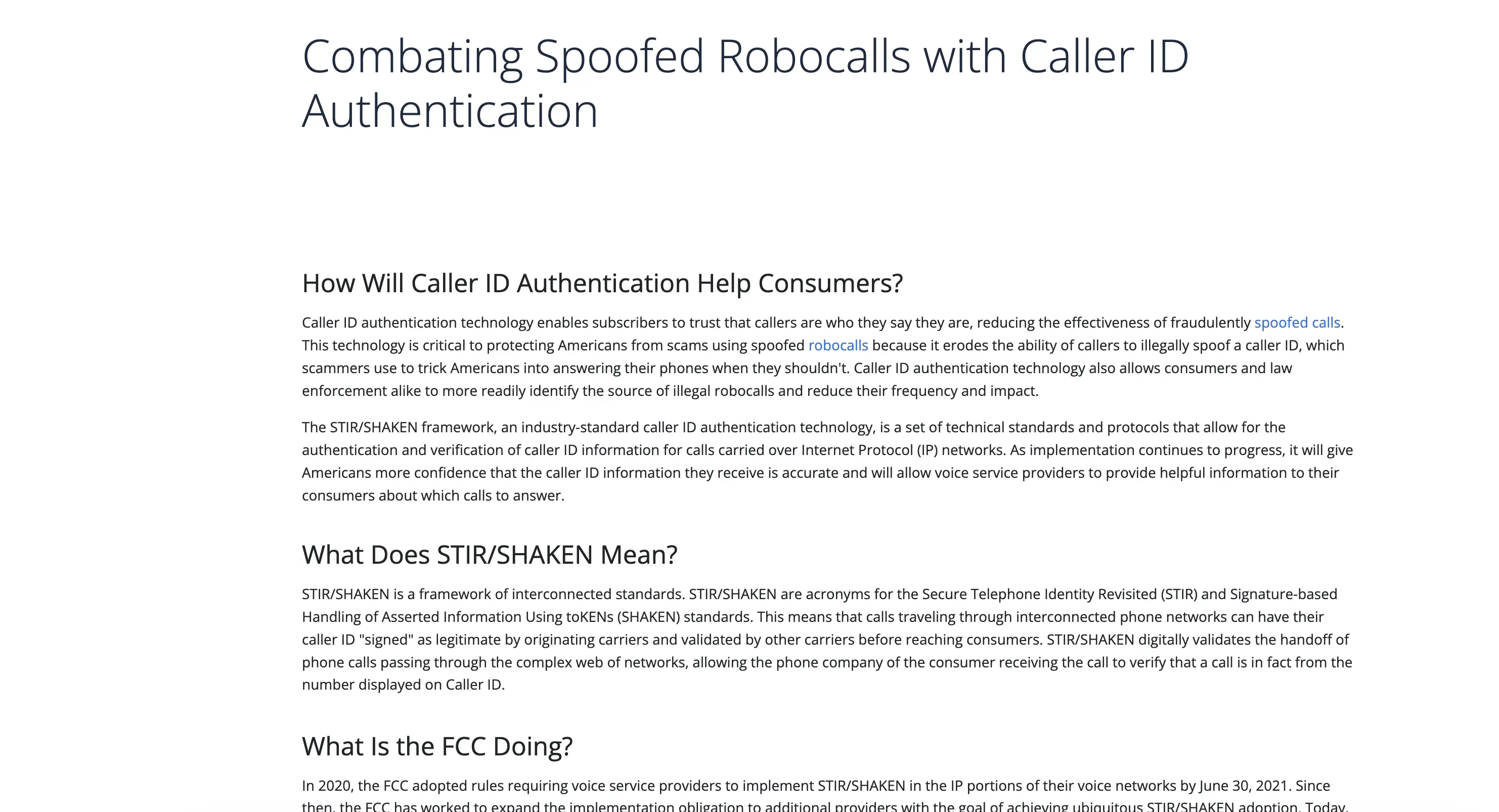
That is the carrier signing and verification process that decides whether a call reaches someone marked as trusted or as unfamiliar. It is why a cold call from a new business line sometimes shows up flagged before you have said a word.
Done when: you know the number's region and line type, and you have decided whether calling directly is worth the risk for this particular contact.
Run a reverse phone lookup, but treat it as an identity check, not an email finder
What happens: A reverse phone lookup service takes the number and returns whatever public records, directory listings, or social profiles are tied to it: usually a name, sometimes a city, occasionally an employer.
Free versions of these tools tend to return a name only, with the fuller record locked behind a paid tier, and the wider field of email prospecting tools varies a lot on what a phone number field will actually return. Treat the output as a lead on who owns the number, not as a source for the email itself.
One thing to watch for: phone numbers get reassigned and ported between carriers constantly, so an older public record can point you to the wrong person entirely. A reverse lookup surfacing a name that does not match what you already know about the contact is a signal to stop, not push forward with a guess.
Done when: you have a name, or you have confirmed the lookup will not return one and moved on to social cross referencing instead.
Cross reference the number against the platforms that use it as an identifier
What happens: A growing number of apps use a phone number as the account identifier itself, which makes them worth checking directly. WhatsApp, Telegram, and Signal will confirm whether an account exists for that number, and some show a profile name or photo without you sending a message.
Facebook and Instagram both let you search a phone number in the platform's own search bar, and Facebook's account recovery flow, entering the number, then requesting a password reset, will sometimes reveal a partially masked version of the associated email as a recovery hint even if you go no further than that screen.
Discord and TikTok do not support a direct phone to profile search, so those two are usually a dead end unless you already have a username to work from.
Done when: you have confirmed which, if any, platforms are tied to the number, and ideally a name, photo, or employer detail that narrows things further.
Confirm the employer before you touch email format guessing
What happens: This is the step that gets skipped or reordered most often, and it is where a lot of time gets wasted. Email permutation, building an address from a known company domain and a standard naming pattern, only works once you already know the domain, and after just a reverse lookup and a social search you usually are not there yet.
So confirm the employer first. A LinkedIn profile found through the name from your reverse lookup, a company directory page, or a business card usually gets you there. Once you have a company name, a quick search resolves the domain, and a small number of naming conventions cover most companies: first name only, first name plus last initial, first initial plus last name, or first dot last.
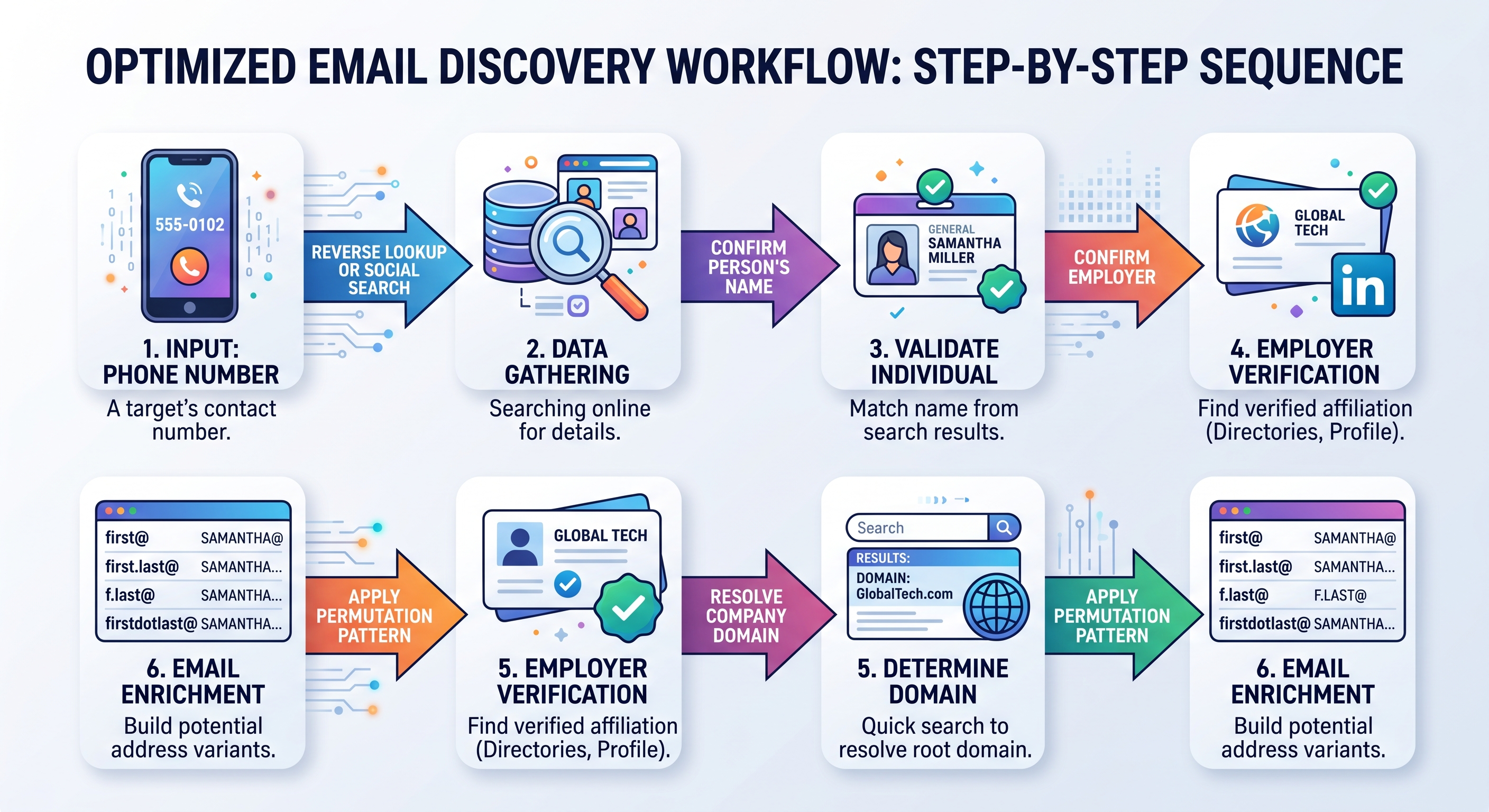
That sequence is the difference between guessing blind and guessing with a real pattern behind it. Skip a step and the permutation stage turns into trial and error.
If the record you are working from already has other contact fields attached, a data enrichment pass can fill in the employer and domain gap faster than searching by hand, since it appends verified company details to a partial record instead of you tracking each field down separately.
Done when: you have a confirmed employer, a resolved company domain, and a candidate email built from a real naming pattern rather than a guess.
Build and check the candidate address before you send anything
What happens: With a domain and a naming pattern, write out the candidate address. Some naming conventions produce more than one plausible version for the same person, so it is common to end up with two or three candidates rather than one certain answer.
Run each candidate through the same email verification steps you would use on any address: a syntax and domain check catches obvious typos, and a deliverability check against the mail server catches addresses that look valid but will bounce.
Done when: you have a candidate address that has passed a verification check, or you have ruled out the ones that failed.
What the recipient's side actually shows you
What happens: Once you send to a verified address, the response tells you more than the verification check alone did. A hard bounce within minutes usually means the domain or mailbox is wrong, not that the person does not exist.
Landing in a spam folder rather than bouncing points to a sending reputation problem on your end, not a bad address. A delivered message with no reply is a different problem entirely: the address worked, the pitch or timing did not.
Done when: you can tell from the outcome whether the problem was the address, the delivery, or the message itself.
Finding the address is one stage of a longer sequence, and the five stage cold email outreach process sets out what the list, the sending domain and the follow up touches have to do before any reply is realistic.
Comparison: what each method realistically returns
Method | What it realistically returns | Best used when | Main limit |
|---|---|---|---|
Reverse phone lookup | A name, sometimes a city or employer | You have a number and nothing else | Often paywalled past the name, and can be stale on reassigned numbers |
Social platform cross reference | A name, photo, or confirmed platform presence | The number belongs to an active social user | Discord and TikTok will not search by phone directly |
Company directory and domain search | The employer and a resolved domain | You already have a name to search | Requires the person to have a public professional footprint |
Email permutation | A candidate address built from a known pattern | You already know the company domain | Produces guesses, not confirmed addresses, until verified |
Direct call or text | A confirmed answer from the person | The relationship or context justifies it | Carries a real spam flag and caller ID authentication risk |
WHOIS lookup | Rarely an email anymore | You are chasing a domain owner, not a person at a company | Registrant contact fields are redacted by default on almost every modern registration |
Phone number to email research checklist
Copy this and work down it in order. Stop as soon as you reach a confirmed, verified address.
1. Note the number's area code and line type (mobile or landline).
2. Run a reverse phone lookup. Record any name, city, or employer returned.
3. Check WhatsApp, Telegram, and Signal for an account tied to the number.
4. Search the number directly in Facebook and Instagram search.
5. If a name surfaced, search that name plus employer on LinkedIn.
6. Confirm the employer and resolve the company domain.
7. Apply a standard naming pattern to build one or two candidate addresses.
8. Run each candidate through a syntax and deliverability check.
9. Send to the verified candidate and track the delivery outcome.
10. If every step above fails, stop. The number likely has no public trail to follow.
Three things that change how much time a method is worth
Each of these changes how long you should keep trying a given method before you switch to another one.
A WHOIS lookup on a business domain almost never shows a personal email anymore.
ICANN's registration data policy, put in place largely in response to GDPR, treats registrant contact fields, including email, as redacted by default unless the domain owner has explicitly consented to publish them.
I ran this check against two live business domains this week, and both came back with the registrant email replaced by a registrar proxy contact link, with no way to see the real address without going through that form. That redaction is the default state now, not the exception, which is why treating WHOIS as a reliable email source wastes more time than it saves.
A phone number can point to the wrong person because numbers get ported, not retired.
Under the number porting rules the FCC oversees, a person can keep the same number across multiple carriers and, in practice, across multiple jobs and years. A reverse lookup record from a few years ago can list an employer or address the person has since left.
If the details a lookup returns do not match what you already know, that is a strong reason to double check rather than trust the older record.
Calling to confirm carries a real reputation cost that is easy to miss.
Caller ID authentication verifies calls between carriers using a signed digital record, so a number with no established call history reads differently to the network than one with years of normal activity behind it.
Repeated outbound calls to numbers you have no prior relationship with are exactly the pattern that gets flagged, which means the direct call method quietly damages your ability to reach the next ten people on your list.
Common problems and how to work around them
The reverse lookup returns a name, but the person has no public footprint anywhere else.
This is the most common dead end. Confirm the name is even current, since a stale record is common on older numbers, and if it checks out, move to a general web search on the full name plus any location detail from the lookup before giving up on the number entirely.
A shared or forwarded business line returns several different names depending on who answers.
Small business main lines and virtual receptionist numbers often route to whichever employee is covering that shift, so a reverse lookup or a call can surface a name that has nothing to do with the specific person you are trying to reach. Ask directly for the person by name rather than assuming whoever picks up is your contact.
A candidate address built from permutation bounces immediately.
This usually means the naming pattern was wrong, not that the domain is wrong. Try the next most common pattern for that domain before concluding the person is unreachable.
A Hacker News discussion on a phone to email lookup tool drew this same point out in the comments: people frequently keep multiple numbers and contact records active across old and new accounts, which is part of why a first guess so often needs a second pass.
WHOIS returns nothing usable.
This is a registration data policy at work, not a broken lookup tool. Registrant contact fields, including email, are hidden by default at the registrar level and replaced with a proxy contact link.
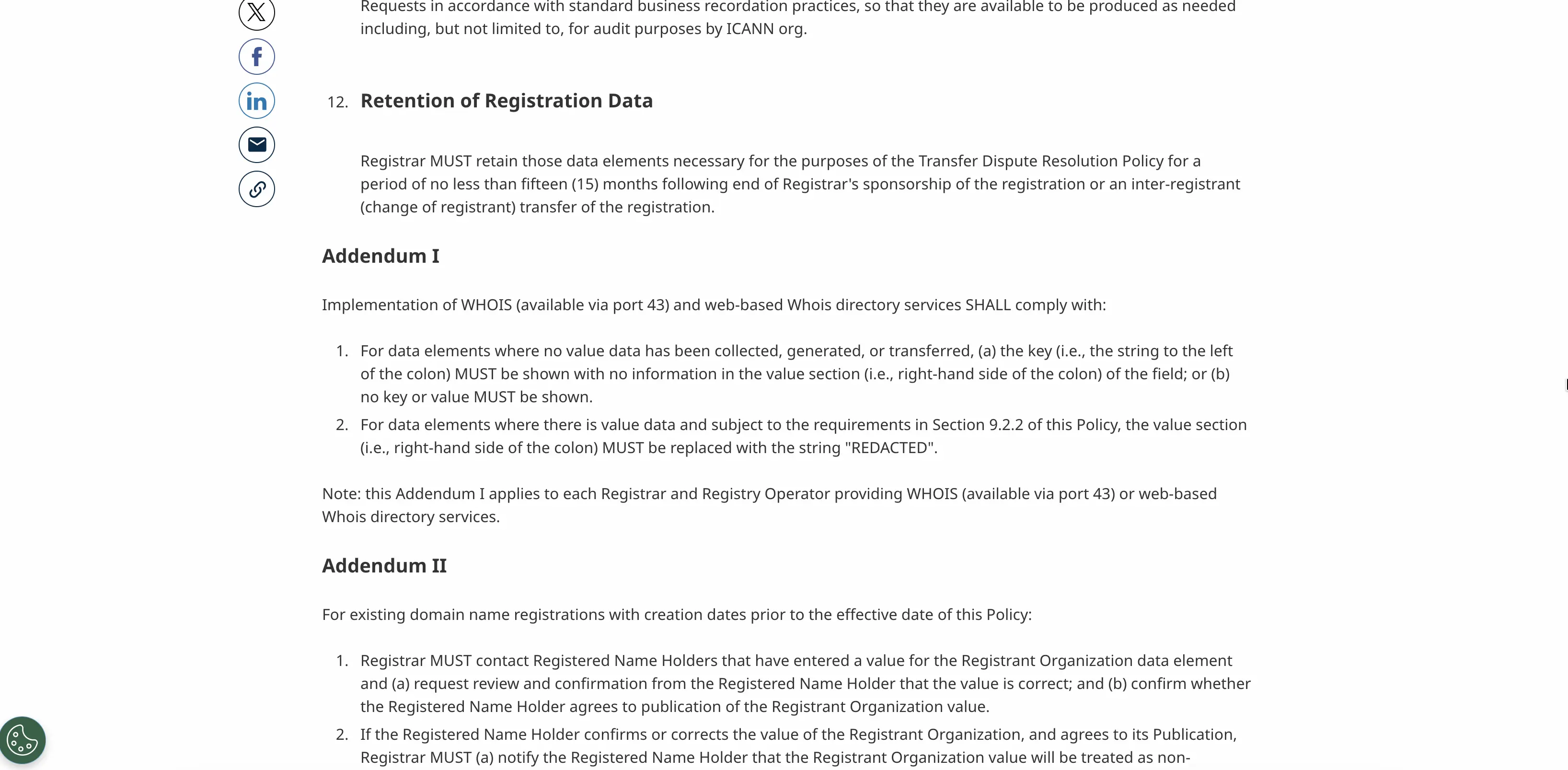
That is the actual policy text behind the redacted result you get from any WHOIS lookup service. Move on to the company directory and social cross reference methods instead of retrying WHOIS with a different lookup service, since the redaction applies regardless of which tool you use to view the record.
Frequently asked questions
Is it legal to find someone's email address using their phone number?
Looking up publicly available information is generally legal, but what you do with the email afterward is regulated. In the United States, the CAN-SPAM Act sets rules for commercial email, including accurate sender information and an easy way to opt out, and similar consumer protection and data privacy rules apply in other regions.
Can you find someone's email for free using just a phone number?
Sometimes. Reverse lookup name searches, checking messaging apps for a linked account, and searching a company directory once you have a name are all free. Paid tools mainly save time by combining these steps rather than doing something free methods cannot.
Does a WHOIS lookup still show an email address?
Rarely. Under current registration data rules, registrant contact fields including email are redacted by default on almost every domain, so a lookup usually returns a proxy contact link instead of a real address.
Why did a reverse phone lookup return the wrong person's name?
Phone numbers get ported between carriers and reassigned over time, so an older public record can be stale. If the name or employer a lookup returns does not match what you already know, verify it against a second source before acting on it.
Can you find someone's email on Discord or TikTok from their phone number?
Not directly. Neither platform supports a phone number search the way Facebook and Instagram do. If you already have a username on either platform, checking the profile's bio or linked accounts is a better route than searching by number.
What should you do if none of these methods find an email?
Stop before it costs you more time than it is worth. A number with no reverse lookup name, no social account, and no traceable employer usually has no public trail, and no method here changes that. Try a different starting point instead, such as the person's name if you have it, or ask a mutual contact for an introduction.
The realistic next step
None of the methods above are guaranteed, and most single methods return a partial answer at best. What consistently works is running the sequence in order: identify the person, confirm the employer, resolve the domain, build the address, then verify before you send.
Skipping straight to a guess is the single biggest reason permutation attempts bounce, and the number itself is rarely the whole story once you factor in porting, redaction, and reassignment.