Data enrichment tools: what the accuracy percentage does not tell you
Compare data enrichment tools by accuracy definition, free tier limits, and compliance basis, using an 8 point scorecard before signing a monthly contract.
 Michael Doyle11 min read
A data enrichment tool fills gaps in records you already have: a missing job title, a dead phone number, a blank company size field.
The vendor's stated accuracy percentage usually blends several different data types into one number, and HubSpot's own free enrichment engine already fills more than 30 contact fields before you pay for anything else.
Before comparing tools it helps to be clear on what B2B data enrichment actually adds to a record, since that is what every accuracy figure is measured against.
What you need before you compare data enrichment tools
Before you look at a single vendor, know three things about your own list.
What is actually missing. Pull 50 records and count the blank fields by type: job title, direct phone, company size, industry.
A tool that is strong on firmographic fields will not help you if your real gap is phone numbers.
Who this comparison is for. Solo founders and small teams enriching a few hundred records a month. Sales operations and revenue operations teams running a weekly refresh. Agencies enriching client lists under someone else's compliance rules.
Who it is not built for. A team with zero existing records has a sourcing problem, not an enrichment problem, and needs a different shortlist entirely.
What this does not cover. Sourcing contacts you have never had is a different job with a different set of vendors. If your list is empty rather than incomplete, comparing providers that source new contacts is the right starting point instead.
Decide whether you are filling gaps or finding new contacts
This sounds obvious. A vendor call blurs it fast. A data enrichment tool takes a record you already hold and fills in what is missing.
A contact database or list provider finds you a person you never had a record for.
The two jobs are sold from the same pricing page all the time. The tools rarely make the distinction for you.
Enrichment tools work from an identifier you supply, usually a name, a domain, or an email address, and return whatever fields match it.
The five data types these tools fill in are contact, firmographic, technographic, intent, and behavioral fields. A single tool rarely covers all five well.
Knowing which type your gap actually is decides half of the shortlist before you read a single review.
Check what your CRM already fills in for free
Skip this step and you will pay a monthly fee for something your CRM already does at no extra cost.
What native enrichment actually fills in
HubSpot's own documentation states that automatic enrichment "fills properties containing blank or empty values" and that it "doesn't overwrite values set by a user or another system." Contacts must carry a business email address; a Gmail or Yahoo address gets skipped entirely.
Over 30 contact properties and more than 20 company properties are available to fill through this native path, at no cost beyond the CRM subscription itself.
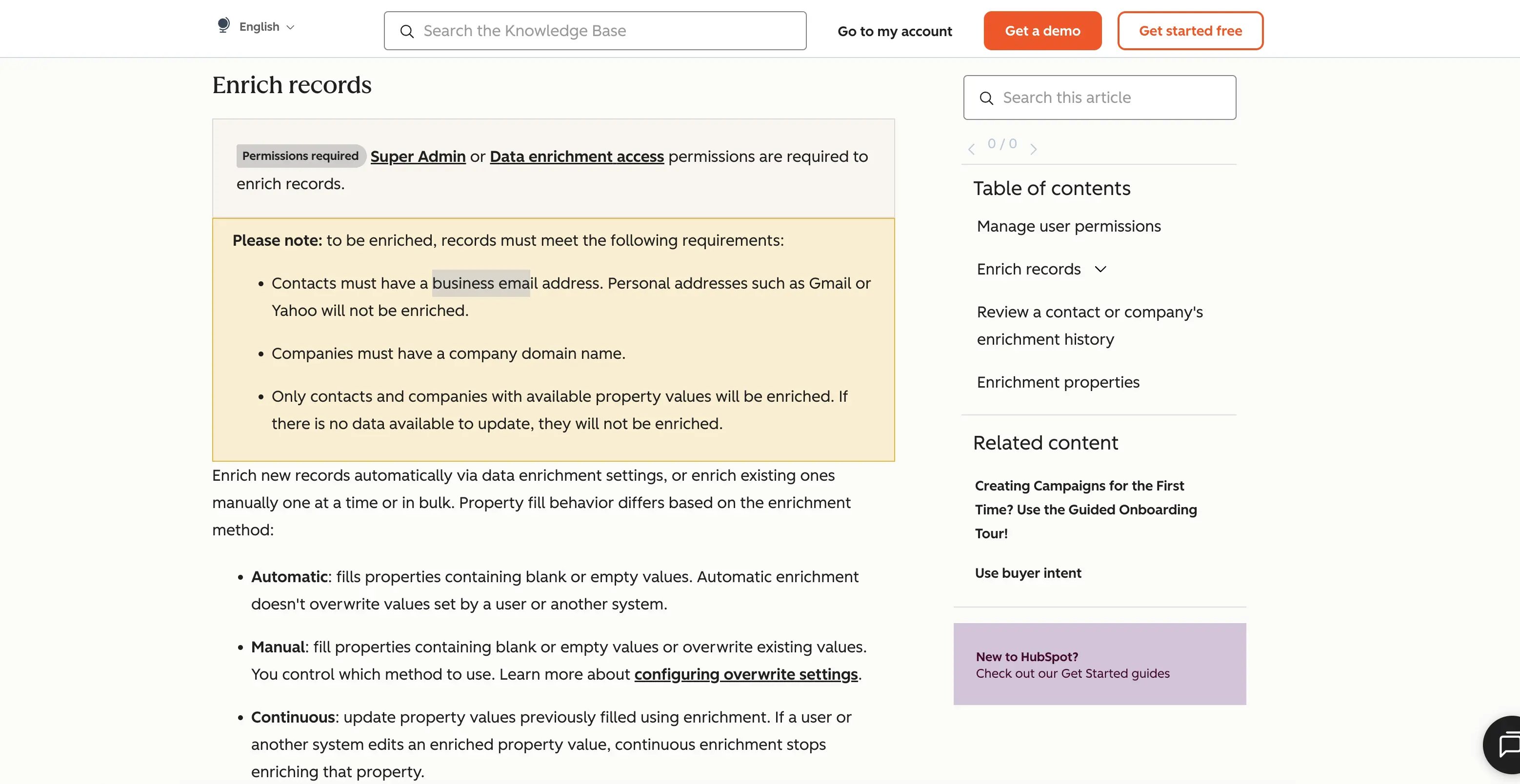
That screenshot is worth reading closely before a demo call. It confirms the fill in exists, and it confirms the limit: personal domains and already populated fields are both out of scope for the free version.
Where native enrichment stops short
Native CRM enrichment rarely touches technographic data, rarely runs a waterfall across multiple sources, and rarely refreshes on a schedule you control.
A paid tool earns its fee at exactly the point where the native version stops, not before it.
Compare accuracy claims correctly
Every vendor in this space publishes an accuracy number. Almost none of them define it the same way.
Why one blended percentage hides four different numbers
A single published figure, something like ninety five percent accurate, usually averages several field types together.
That number hides more than it reveals. Email accuracy generally means the address did not bounce on send. Phone accuracy means the number connected on a dial test.
Firmographic accuracy usually means a company field matched a public registry at some point in the past, which can be years out of date.
Technographic accuracy is inferred from job postings and site code, never confirmed directly.
Four different measurements. One published number. Blend them together and the result describes nothing you can act on.
Data type | What "accuracy" usually measures | Why it is not the same number |
|---|---|---|
Percent of addresses that did not bounce on send | A resolving domain still counts as a hit even if the inbox is dead | |
Phone | Percent of numbers that connected on a dial test | Mobile numbers turn over faster than landlines, so this figure ages quickly |
Firmographic | Percent of company fields matching a public registry | Registries update slower than the companies they describe |
Technographic | Percent of detected tools still in use | Detection is inferred, not confirmed with the company itself |
How to ask a vendor for the real number
Ask for the accuracy figure broken out by field type, tested against your own sample, not the vendor's marketing page.
Telling a verified record from a marketing claim starts with that one question, and most sales calls will not raise it unless you do.
Three ways to fill a record, compared
Approach | What it actually does | Where it breaks down |
|---|---|---|
Buy a new contact list or database seat | Sources contacts you never had before | Does nothing for records you already hold with gaps |
Run existing records through an enrichment tool | Fills blank fields on records you already have | Cannot correct a field that was already wrong, only one that was empty |
Use the CRM's native enrichment | Fills blank fields at no extra cost inside a CRM you already pay for | Skips personal email domains and will not touch a field that already has any value |
Most teams need two of these three at once: native enrichment for the easy fields, a dedicated tool for the gaps native enrichment will not touch.
Understand waterfall enrichment before you turn it on
Waterfall enrichment queries multiple data sources in sequence for the same field and keeps the first usable answer it gets.
What happens when two sources disagree
Here is the part vendors rarely spell out in a demo. If source one returns a phone number and source two returns a different phone number for the same contact, the tool needs a rule for which one wins.
Some tools keep whichever source answered first, regardless of age. Some keep the most recently updated source, regardless of order.
Ask this exact question before enabling waterfall on a live list: which source wins a conflict, and can you see which source a filled field actually came from after the fact.
If the tool cannot show its source per field, you cannot audit a bad fill later.
Do the free tier math before you commit
Every free tier looks generous until you count what a real fill run actually needs. A tool offering fifty free lookups a month sounds fine until you realize a single record with four missing fields can burn through several lookups depending on how the vendor counts a credit. Read the credit definition before the price, not after.
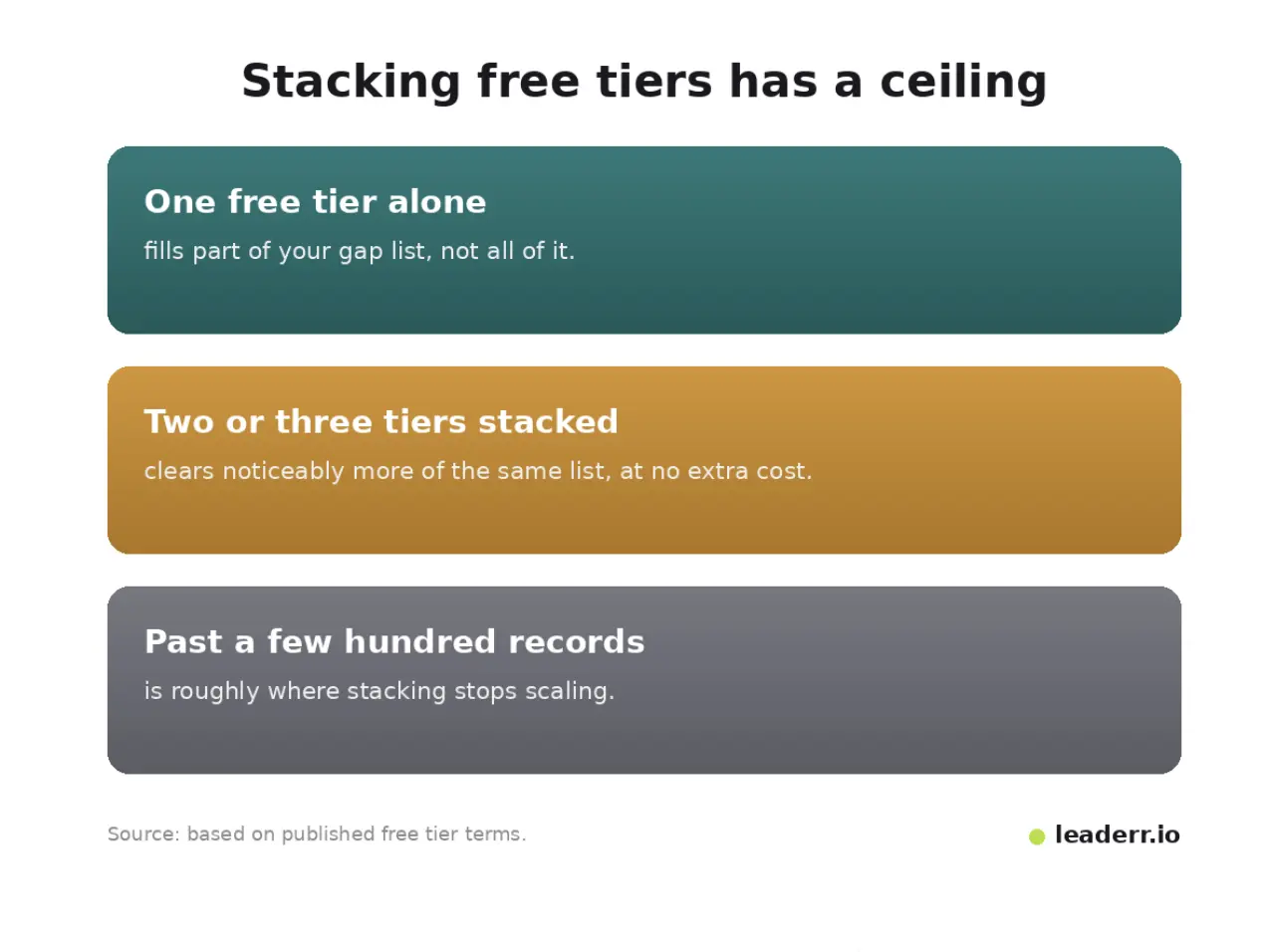
Stacking two or three free tiers against the same list, one for phone fields and a different one for firmographic fields, clears more of a small batch than any single free tier alone.
It will not scale past a few hundred records a month, but for a small team that is often enough.
Get the compliance basis right for records you already hold
Enriching a record you already have is not automatically simpler than sourcing a new one, legally.
The lawful basis question does not disappear because the contact already exists
The UK Information Commissioner's Office states that legitimate interests "will be the appropriate lawful basis" for much B2B marketing activity, but only after applying a three part test: identifying the actual interest, showing the processing is necessary, and balancing it against the individual's rights.
When you enrich using a third party or public source, the same guidance requires telling the person "within a reasonable period of obtaining the data and no later than one month from the date of collection."
Enrichment tools that never surface this deadline are leaving it on you to track by hand.
What to check before you enable auto fill
Confirm whether the tool logs when a field was filled and from what source. Without that log, meeting a one month disclosure deadline on enriched records becomes a manual spreadsheet exercise instead of something the tool tracks for you.
The enrichment tool evaluation scorecard
Copy this list and score each candidate tool against your own sample records before a contract gets signed.
Field coverage. List the exact fields you need filled, not the vendor's whole catalog.
Accuracy definition. Ask what "accuracy" is measured against, broken out by field type, not one blended figure.
Overwrite rule. Confirm whether the tool ever touches a field that already carries a value.
Waterfall order. Ask which source is tried first and what happens when two sources disagree.
Free tier math. Count how many of your actual records the free tier clears before you hit a wall.
Compliance basis. Confirm the lawful basis and disclosure timeline for the specific records being enriched.
Export path. Confirm you can export what you paid to fill, not just view it inside the tool.
Renewal terms. Check whether unused credits roll over, and what happens to filled data if you cancel.
Where enrichment projects actually go wrong
Three failure patterns show up again and again once a tool goes live on a real list. One of them carries a real compliance risk worth flagging on its own.
The Federal Trade Commission's CAN SPAM compliance guide names "harvesting email addresses or generating them through a dictionary attack" as an aggravated violation that can carry criminal penalties.
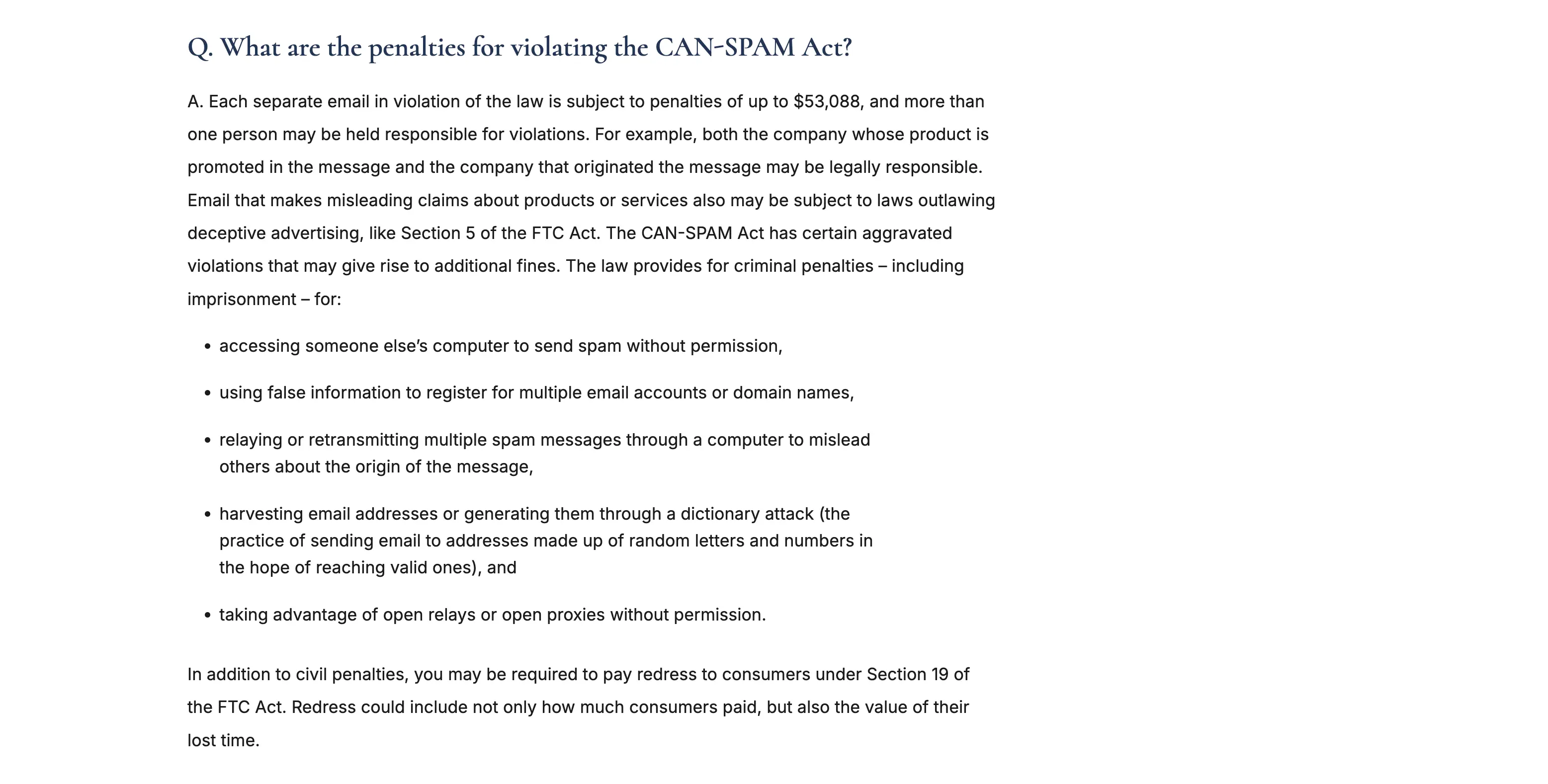
A vendor that guesses email patterns to fill a blank field sits closer to that line than most teams realize.
Symptom | Likely cause | Fix |
|---|---|---|
Enriched emails bounce right after import | The tool counted a resolving domain as a hit, not a delivered message | Run a real send test on a small batch before the full import |
Fields fill in, then disappear on the next sync | Two connected systems are both set to overwrite on a schedule | Pick one system as the source of truth and turn off the other's overwrite |
A guessed address pattern gets flagged as spam | Pattern generated addresses can read as address harvesting under CAN SPAM rules | Verify every generated address before its first send, and keep the verification log |
FAQ
What are data enrichment tools?
They are software that fills gaps in contact and company records you already hold, using an identifier such as a name, domain, or email address to pull matching fields from one or more outside sources.
Are there free data enrichment tools?
Most vendors offer a limited free tier, usually a set number of monthly lookups or credits, and most CRMs include some native enrichment at no extra cost. Neither is unlimited, so check the credit definition before counting on it.
How much do data enrichment tools cost per month?
Pricing runs from free tiers with a few dozen monthly credits to several hundred dollars a month for team plans with thousands of credits. Per seat and per credit pricing are not directly comparable, so price by the number of records you actually need filled.
What is the difference between contact, firmographic, and technographic data?
Contact data identifies a person: name, email, phone, title. Firmographic data describes the company: size, revenue, industry. Technographic data lists the software a company uses. Most tools are strong at one type and weaker at the other two.
Do I still need an enrichment tool if I already pay for a contact database?
Often yes, for the fields a contact database does not specialize in. Sourcing and filling are different jobs. A tool built to find new contacts and a tool built to fill gaps in records you already have solve different problems, even when one vendor sells both.
Can AI be used for data enrichment?
Yes, mainly to infer fields like job function or intent signals from unstructured data such as job postings or site content. Treat those fields with caution. Inferred data carries more uncertainty than a field pulled directly from a verified record, so use it as a starting point, not a confirmed value.
The short list before you sign anything
Before any contract, run three checks: audit which fields are actually blank on your own list, confirm what your CRM already fills for free, and ask every vendor to break its accuracy number out by field type. Most of the decision falls out of those three answers alone. The tool that wins is rarely the one with the highest headline percentage. It is the one whose number you can actually verify against your own records.
Sources verified 07 September 2026.
About the author
Michael Doyle writes about B2B sales at Leaderr. He covers prospecting, cold outreach, sales data, and pipeline building, with a focus on what actually works for SDRs, founders selling on their own, and small sales teams.