B2B list building: The three paths, and what each one actually costs
B2B list building and prospect list building run through three paths: database pulls, manual sourcing, and opt in growth. What each one costs in time and money.
 Michael Doyle11 min read
B2B list building runs through three separate paths: pulling contacts from a paid or free database, sourcing them one at a time by hand, or growing a list of people who sign up on their own.
A LinkedIn Sales Navigator Core seat costs 119.99 dollars a month for 50 InMail credits, and none of the three paths hands over a finished, sendable list on the first try.
Each one turns a target list into a smaller, usable one in a different way and at a different cost.
Prospect list building is the same job under a different name, and the path you pick decides the cost long before the tool does.
What you need before you start
Three things need to be decided before any tool gets opened.
First, a written ideal customer profile: industry, company size band, job title or function, and region. Without this, every path below produces a pile of names instead of a list.
Second, a place to hold the contacts, a spreadsheet or a CRM, with the required fields fixed in advance: name, verified email, job title, company, company size, source, and the date the row was added.
Third, a rough budget and a rough deadline, since the three paths trade cost for time in opposite directions.
This piece covers building a list yourself. Buying a ready made file from a data provider is a different job, with its own accuracy and compliance math covered in full separately.
Who is building the list changes which path fits.
Who is building the list | Budget available | Time available | Best starting path |
|---|---|---|---|
Solo founder, no team | Small or none | High | Manual sourcing, or growing an opt in list |
Agency building a client's list | Moderate to high | Low to moderate | Database pull |
Small sales team, funded | Moderate | Moderate | Database pull, manual sourcing to fill gaps |
Content driven company | Low ongoing spend | Long timeline | Growing an opt in list |
A quick note on the broader process: list building is one stage inside a wider set of sales prospecting stages, and it is worth knowing where it sits before opening any single tool.
Choose your prospect list building path
Three different jobs sit under the phrase "B2B list building," and they are not interchangeable. Pick one first. A page naming tools before separating them is naming tools for the wrong job.
Path | Speed to a first send | Main cost driver | Skill or tool needed | Best for |
|---|---|---|---|---|
Database pull | Fast, days | Subscription seat, per contact fees | A paid or free database account | Agencies, funded teams with a budget |
Manual sourcing | Slow, weeks | Hours, not dollars | Search skill, patience | Small budgets, narrow niches |
Growing an opt in list | Slowest, months | Content or ad spend | A form, a reason to sign up | Long term, compliance sensitive lists |
Pulling from a database
A database pull means querying a provider's existing index by filter (title, industry, headcount, location) and exporting the matches. LinkedIn Sales Navigator is the one tool that shows up across most of these guides.
Its own pricing page lists the Core plan at 119.99 dollars a month, or 1,079.88 dollars a year. That covers 50 InMail credits, with no published cap on how many search results a filter can return.
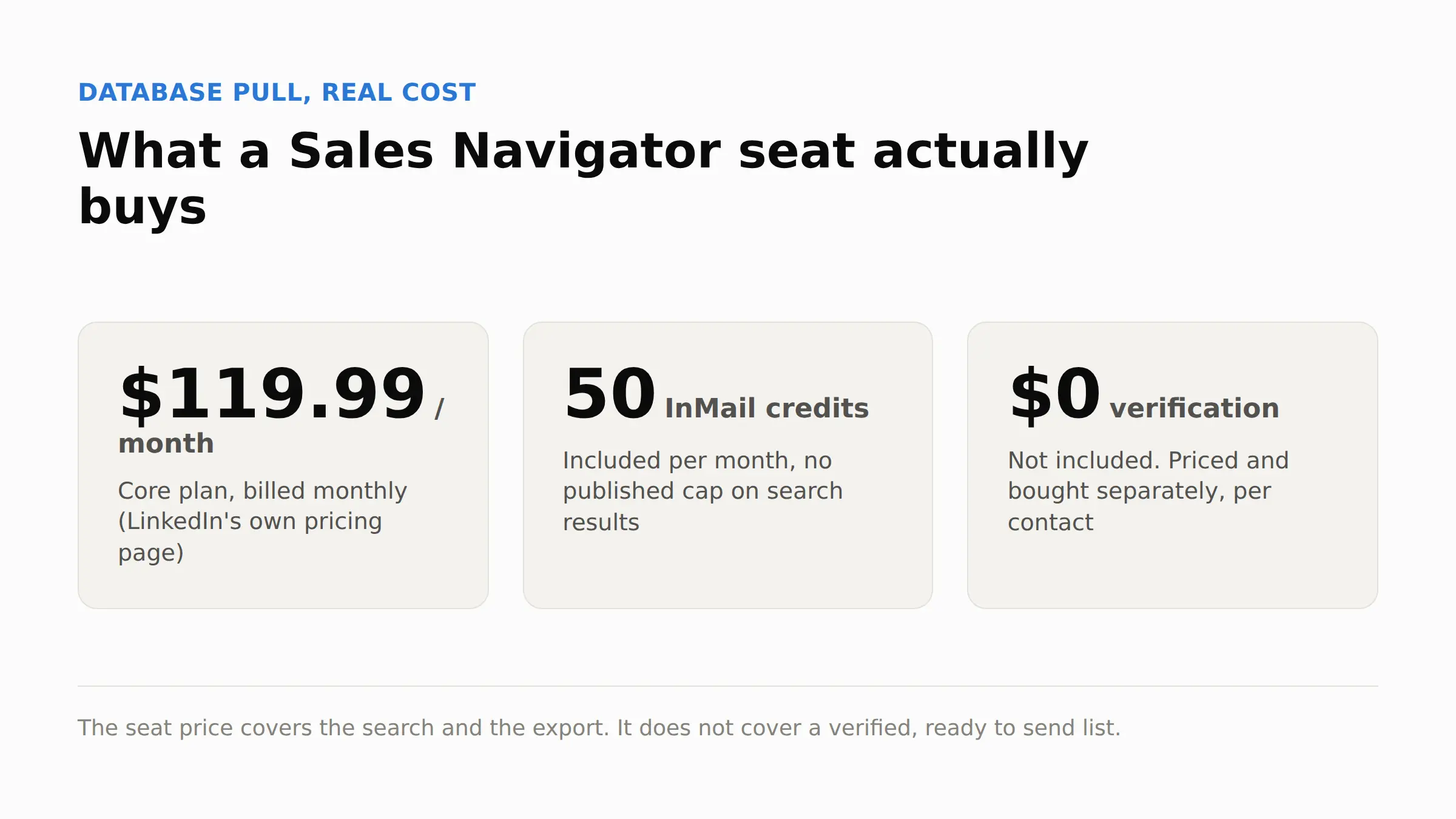
The seat price is the smallest part of the real cost. It buys the search and the export, not a verified, ready to send list; that gap is covered in the cost section below.
Evaluating a database provider before paying for access to one is worth doing on its own, since the fields it hands back vary more than the price does.
Sourcing contacts manually
Manual sourcing means finding people one at a time through public profiles, company pages, and search, then copying what you find into a sheet. It costs no subscription, and it costs the most time.
A single plain search, run for one job title in one state, returned eight named, verifiable profiles in under a minute.
None of the eight carried a visible email address. A public profile confirms a name, a title, and a company.
It does not confirm a way to reach that person, which is a separate step covered next.
Growing an opt in list
An opt in list is built the other direction: people find a form, a gated resource, or a newsletter, and give their own contact details in exchange for something.
It is slow to reach any real size, and every row on it already agreed to hear from you, which is worth more than the row count suggests once compliance and reply rates enter the picture.
What a target list actually turns into
A target list of 5,000 companies that fit the profile does not become 5,000 usable contacts. Every path loses names between the target and the list that actually gets sent to, and almost nothing written about list building says so out loud.
The match rate nobody ties to a finished list size
Providers commonly report single source match rates in the 30 to 60 percent range, and multi source or waterfall style pulls in the 80 to 95 percent range.
That number almost never gets connected back to what it means for a specific target. Needing 500 usable contacts at an 80 percent match rate means starting with roughly 625 names in the target list, not 500.
Needing the same 500 at a 40 percent match rate means starting with 1,250. The match rate is not a footnote. It sets the size of the list before a single email gets found.
What it costs to build one in house
Path | Direct tool cost | Rough time per 100 usable contacts | Verification cost |
|---|---|---|---|
Database pull | Seat fee, roughly 120 dollars a month and up | Low, an hour or two | Priced separately, per contact |
Manual sourcing | Free to low | High, several hours | Priced separately, per contact |
Opt in growth | Content or ad spend, variable | Low once running | Usually not needed, contact gave it directly |
The seat price on a database tool is not the full bill. Verification costs extra, per contact. Add the hours spent building and exporting segments on top of that, and the real cost of 100 usable contacts sits above the seat price alone on every path except opt in growth.
A full comparison of what individual sales prospecting tools charge, including the fees that do not show up on the pricing page, is worth checking before signing anything.
How long it actually takes
Time is the cost nobody in this category puts a number on. The single search used above, for one title in one state, took under a minute and returned eight profiles. No emails, though.
Running that same search across ten similar title and location combinations, at a similar rate, points to roughly 80 profiles an hour of pure searching, before a single email gets found or verified.
Verification is a separate step with its own tool and its own time cost per contact, and it has to be added on top, not folded into the search time.
A database pull compresses that same 80 profiles into minutes, which is the entire trade a seat fee buys.
An opt in list trades both numbers for a much smaller one that arrives already willing to hear from you.
The pre send checklist
Copy this before the first message goes out, whichever path built the list.
Ideal customer profile written down, with the required fields fixed.
Build path chosen and matched to the budget and time available.
Contacts sourced into one file, not scattered across exports.
Duplicate rows removed against each other and against existing CRM records.
Every email run through a verification step, not assumed from the source.
Required fields complete for every row, no blank job titles or companies.
List imported with source and date tagged on every row.
Sending domain warmed up before the first full batch goes out.
A clear opt out line included in the message template itself.
First batch capped to a low volume, not the full list at once.
What happens after the list is built
A finished list still needs two things before it earns a send: a clean import and a domain that can handle the volume.
Importing means matching the file's columns to the CRM's fields, tagging the batch with its source and date, and checking for duplicates against records already in the system.
Skipping the tag makes it impossible to tell later which path produced which reply rate.
Getting the sending domain ready
A brand new or rarely used domain cannot absorb a full list on day one. New domains earn trust slowly.
Google's own guidance for bulk senders says to start with a low sending volume to engaged users and slowly increase the volume over time, and to avoid sudden volume spikes on a domain without a sending history.
It also sets a spam rate target below 0.10 percent, with 0.30 percent or higher treated as a violation of its sending requirements.
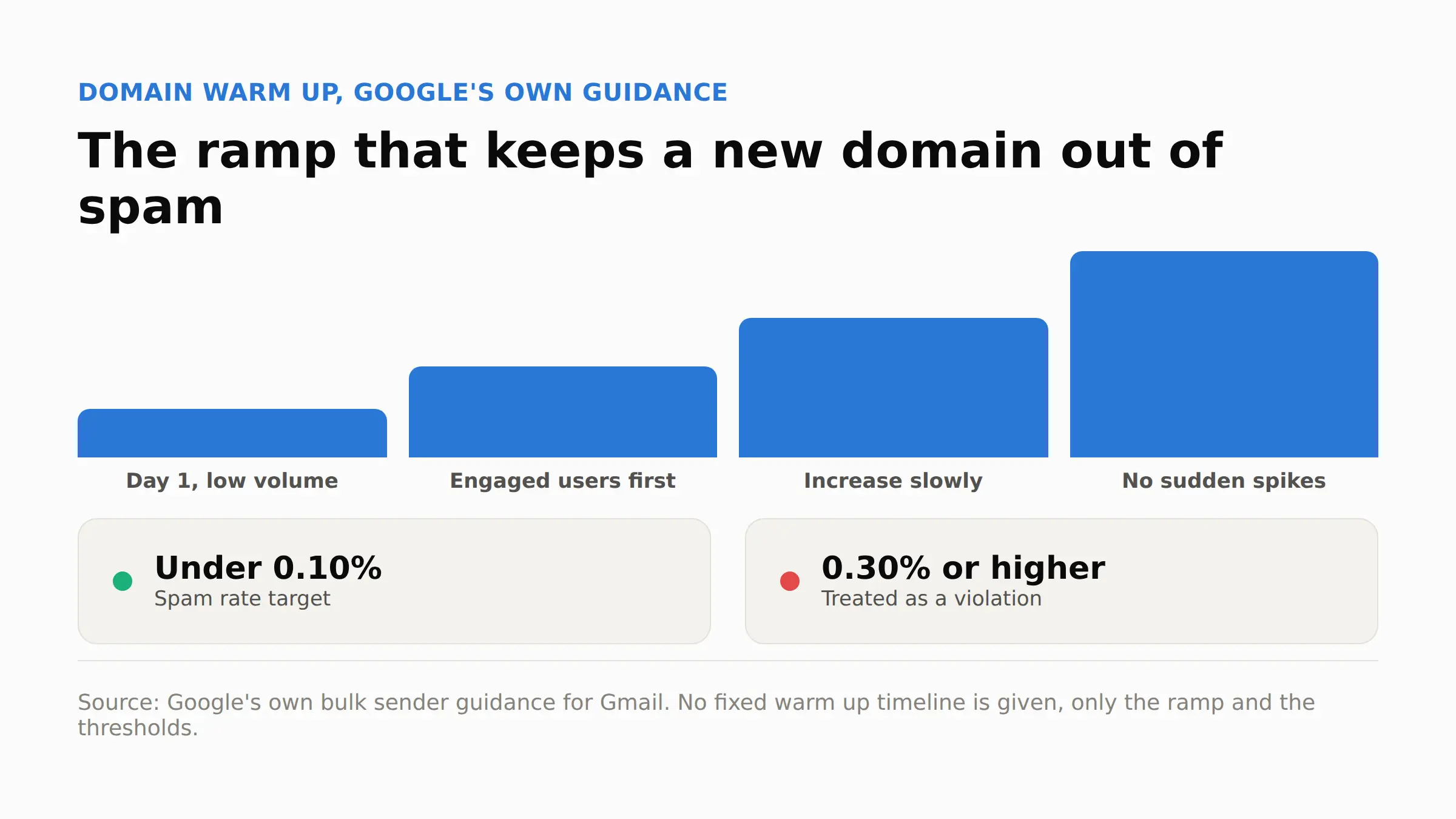
The ramp, not a fixed number of days, is what keeps a new domain out of spam.
Where this goes wrong
What you see | Why it happens | What to do |
|---|---|---|
High bounce rate right after the first send | List was verified once at build time, not again before sending | Re verify close to send time, not only at the moment the list was built |
Replies asking how you got their email | Source of the contact was not disclosed, or the method carries its own compliance rule | Match the disclosure and opt out language to the rule for that build path |
Domain lands in spam within a few days | Volume ramped up too fast on a domain with no sending history | Follow a gradual ramp, matching the pace a mailbox provider itself recommends |
List looks full but replies are near zero | Match rate got counted as a finished list instead of a starting number | Apply the target to usable ratio before committing to a send date |
One founder who posted a cold email result on Indie Hackers got a blunt reply in the comments: sourcing leads by scraping alone, without checking who actually ended up on the list, is a common way the whole batch underperforms once it gets sent. The list matters more than the copy.
Sender identification and an opt out mechanism are not optional extras once a list gets emailed, whichever path built it.
The FTC's own compliance guide requires accurate sender information in the header and a clear, working way for a recipient to opt out of future messages.
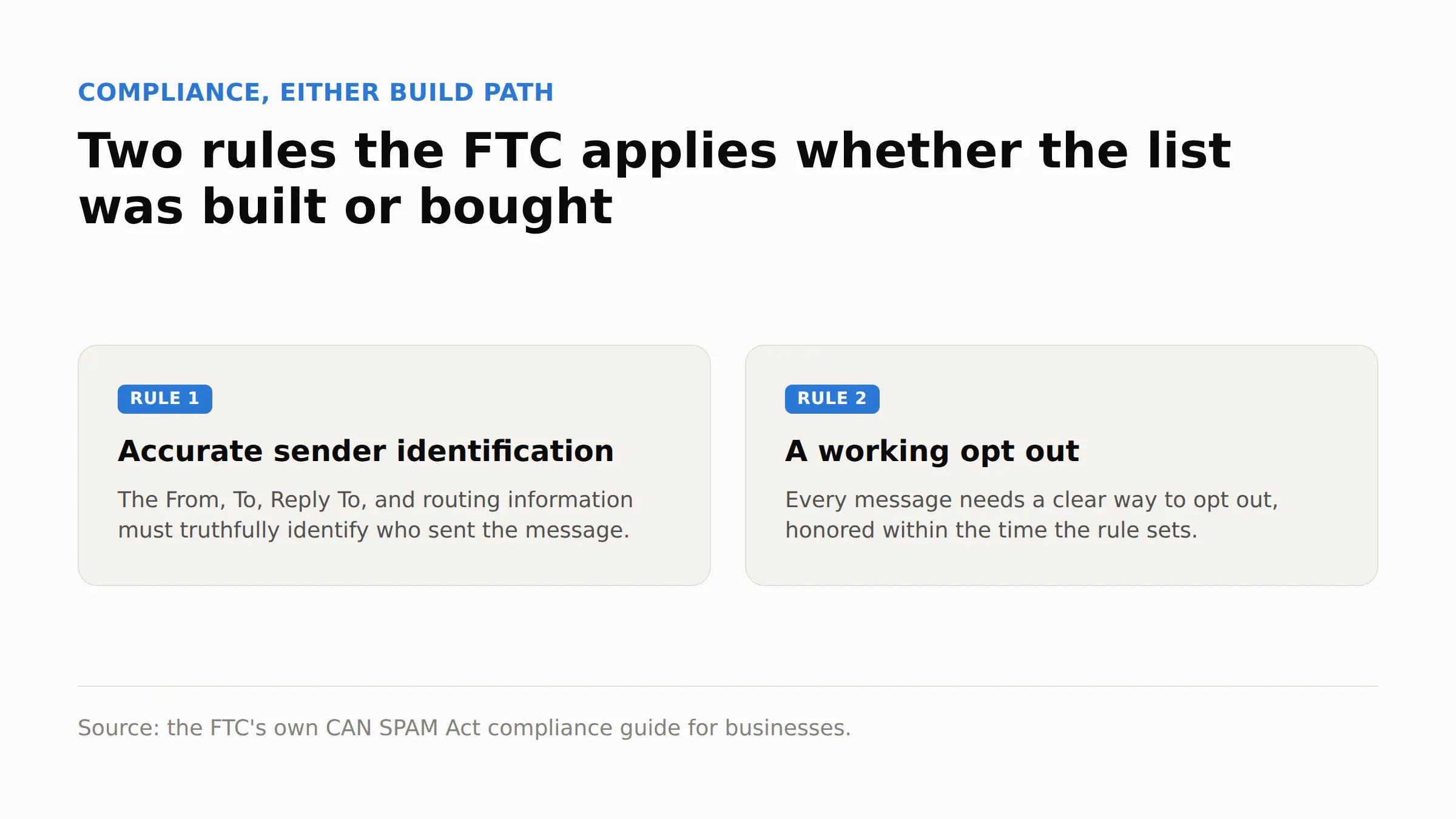
Both requirements apply to a list built any of the three ways above, not only a purchased one.
FAQ
What is B2B list building?
It is the process of assembling a list of business contacts to reach with outreach, built through a database pull, manual sourcing, or an opt in list, rather than purchased as a finished file from a data provider.
Should you build a list or buy one?
Building gives more control over fit and compliance and costs more time. Buying is faster but comes with its own accuracy, coverage, and compliance questions that this piece does not cover in full; that breakdown lives in a separate guide on what the accuracy claim on a purchased list leaves out.
How often should a B2B list be cleaned or refreshed?
Most teams refresh every three to six months, since job titles, companies, and email addresses all change on their own timeline and a list stops matching reality the longer it sits unused.
What should each row in the list contain?
Name, a verified email, job title, company, company size, the source it came from, and the date it was added.
Rows missing the source and date are the hardest to troubleshoot later.
What bounce rate means the list is the problem, not the message?
Verify first, then send. A bounce rate above roughly 2 percent on a list that was verified shortly before sending points at the list itself, not the copy.
A high bounce rate on an unverified list points at the missing verification step instead.
Pick the path before you pick the tool
A list built the wrong way for the budget and timeline available fails before the first message goes out, regardless of which tool built it.
A database pull only pays off once the verification cost and the hours spent segmenting get added to the seat price. Manual sourcing only pays off for a narrow target.
At 80 names an hour, the math has to add up before the deadline arrives. Growing an opt in list only pays off for a business willing to wait months for a smaller, more willing list.
Match the path to the budget and the deadline first. The tool comes after that decision, not before it.
Guidance reviewed 15 September 2026.
About the author
Michael Doyle writes about B2B sales at Leaderr. He covers prospecting, cold outreach, sales data, and pipeline building, with a focus on what actually works for SDRs, founders selling on their own, and small sales teams. Connect with him on LinkedIn.