What is Lead Scoring, and Why do Sales Teams Stop Trusting it?
Lead scoring explained: how points, thresholds, and explicit vs implicit signals rank prospects, plus the mistakes that make sales stop trusting the score.
 Michael Doyle9 min read
Lead scoring is a point system that ranks how likely a prospect is to become a customer. It combines who someone is (explicit data like job title, company size, industry) with what they do (implicit signals like pricing page visits or a demo request), rolls that into a single number, and tells sales who to call first.
What this guide covers
This is a plain English explanation of lead scoring: what it is, how the points get assigned, where teams set the cutoffs, and why the model stops working the moment sales stops trusting it. You'll leave with a fill in worksheet you can adapt to your own pipeline.
This is not a walkthrough of any single CRM's scoring screen, and it's not a roundup of scoring software. If you're already inside HubSpot or Salesforce and need exact click paths, this guide gives you the underlying logic first, then points you to the official setup docs. You need no software to follow along. Fifteen minutes and a rough sense of your last 20 closed deals is enough to draft a first version.
My first attempt at a scoring model ranked a marketing intern above a VP of Engineering. The intern had downloaded three guides and opened every email. The VP visited the pricing page once and never opened a follow up. Guess which one bought.
What is Lead Scoring: How it actually works
Stage 1: Decide what a good lead looks like
What happens: Before any points get assigned, you define the traits and actions that show up in your closed-won deals. This is the fit question and the intent question, kept separate. Fit is who they are: job title, company size, industry, geography. Intent is what they do: page visits, form fills, email opens, demo requests. Pull your last 15 to 20 closed won deals and your last 15 to 20 disqualified leads, and compare them side by side. The traits that show up repeatedly in the wins and rarely in the losses are your criteria.
Explicit data comes straight from the prospect: a form field, a company record, a job title. Implicit data is inferred from behavior: what pages they visited, which emails they opened, how often they came back. Most working models use both, because fit alone tells you who to sell to and intent alone tells you when.
Done when: You have a short list of 8 to 12 criteria, split into fit and intent, each one backed by an actual pattern in your CRM rather than a guess.
Stage 2: Turn criteria into points
What happens: Assign a point value to each criterion, usually on a 0 to 100 scale. Weight the signals that correlate most strongly with a closed deal higher than the ones that just look promising. A demo request should outweigh a newsletter signup by a wide margin, because one shows buying intent and the other shows curiosity. One widely used starting split, laid out in Scalarly's B2B lead scoring model guide, puts 25 points on demographic fit, 25 on firmographic fit, 40 on behavioral engagement, and reserves the last 10 for deductions.
Build in negative scoring from the start. A personal email domain, a competitor's company name, a student or job-seeker title, or 30 days of inactivity should all subtract points, not just fail to add them. Without negative criteria, every lead drifts upward over time, and the score stops meaning anything.
Done when: Every criterion from Stage 1 has a point value attached, the positive and negative signals are both represented, and the scale tops out at a round number your team can talk about without doing math.
Stage 3: Set your thresholds
What happens: A score only matters if it triggers something. Pick the point where a lead becomes marketing qualified (handed to nurture or a lighter sales touch) and the point where it becomes sales qualified (an immediate rep follow-up). Most B2B organizations land their MQL threshold somewhere between 60 and 80 points, though longer enterprise sales cycles sometimes push it higher. Some teams split into three tiers instead of two: hot, warm, and cold, with a same-day response window for hot and an automated nurture track for the rest.
Test the threshold against reality before you trust it. Pull your last 50 closed-won deals, run them through the draft model, and check whether they clear the SQL line. If a chunk of your actual customers would have scored too low to reach sales, the weights are wrong, not the customers.
Done when: You have a written threshold sales has agreed to, and you've confirmed it against real closed-won data rather than a guess.
MQL and SQL are two of the threshold terms that come up here and across most sales terminology; a fuller breakdown of b2b sales terms that come up in real deals covers the rest.
Stage 4: Route it, and keep it honest
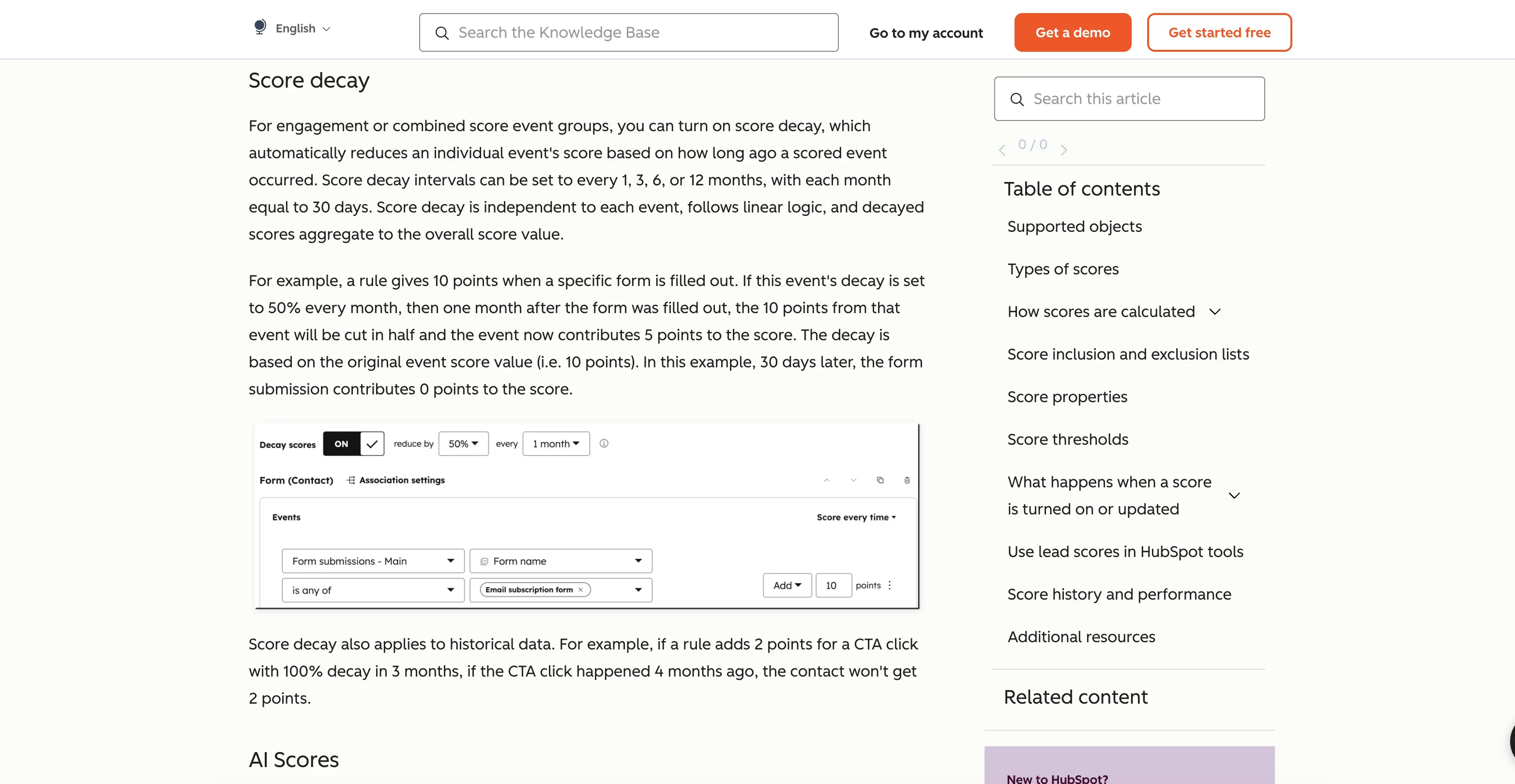
What happens: Connect the score to a routing rule so a lead that crosses the threshold reaches a rep without a human checking a spreadsheet first. Then build in decay. A lead that was highly engaged six months ago but has gone quiet should lose points over time, the same way it loses real sales urgency. Review the model on a set schedule, not "whenever someone complains." Pull recent MQLs, ask sales which ones were junk, and adjust the weights.
Done when: Scores update automatically as behavior changes, stale engagement no longer inflates old leads, and there's a standing review date on the calendar.
What sales actually sees when this works, and when it doesn't
When the model is calibrated, a rep opens a lead and sees a number with a reason attached: high-fit account, visited pricing twice, requested a demo. They know why it's worth a call. When the model isn't calibrated, sales sees a number with no story behind it, ignores the queue, and goes back to working their own list. One ops practitioner writing about this trust gap put it plainly: after enough false positives, reps "develop a different workflow" and stop touching the queue at all.
The fill in scoring worksheet
Copy this structure and fill in your own weights based on your last 20 closed-won deals. Start with 8 to 12 rows total, not 50.
FIT CRITERIA (max 40-50 points)
[ ] Job title / seniority match ........... + ___ pts
[ ] Company size in target range .......... + ___ pts
[ ] Industry match ......................... + ___ pts
[ ] Geography served ....................... + ___ pts

INTENT CRITERIA (max 40-50 points)
[ ] Pricing page visit ...................... + ___ pts
[ ] Demo or trial request .................... + ___ pts
[ ] Case study / comparison page view ........ + ___ pts
[ ] Email opens (per open, capped) ........... + ___ pts

NEGATIVE CRITERIA (deductions)
[ ] Personal email domain .................... - ___ pts
[ ] Competitor company ........................ - ___ pts
[ ] Student / job-seeker title ................ - ___ pts
[ ] 30+ days of inactivity ..................... - ___ pts

THRESHOLDS
MQL at: ___ points
SQL at: ___ points
Review cadence: ___
Manual scoring vs predictive scoring
Manual (rules-based) | Predictive (AI-driven) | |
|---|---|---|
Setup time | A spreadsheet and a few hours | Weeks, plus historical deal data to train on |
Data needed | Your judgment plus recent closed deals | Hundreds of scored, closed records minimum |
Who controls the weights | You, directly | The model, based on patterns it finds |
Best for | Teams under roughly 500 leads a month | Teams with volume and clean CRM history |
Biggest risk | Weights based on guesswork, not data | A black-box score sales can't interrogate |
Both approaches fail for the same underlying reason: bad or missing data. A predictive model trained on incomplete job titles and empty company fields will find patterns in noise. Guy Rubin, founder of the revenue intelligence platform Ebsta, made the same point on The Go-to-Market Podcast: "AI's great at scoring qualification," but only once the underlying data is worth scoring. Cleaning up the input fields (company size, verified email domain, job title) matters more than which scoring method you pick. Tools built for contact and company lookups, leaderr.io's domain search among them, exist mainly to fill in exactly those fields before a lead ever reaches the model.
Read Also: What is an AI SDR? A Plain Explanation of How It Works
Common questions, answered plainly
Why do bad fit leads still score high?
Usually because the model measures curiosity instead of intent. A lead who downloads every whitepaper looks engaged on paper, but content consumption and buying readiness are not the same signal. Weight demo requests and pricing page visits well above passive content downloads, and cap how many points repeated content engagement can contribute.
Why does sales ignore the score even after it's built?
Most often because sales wasn't in the room when the weights were set, or because early false positives already burned their trust. Rebuilding that trust takes a visible review cycle where sales feedback changes the model, not just a one-time apology.
Do I need an AI tool to do lead scoring?
No. A rules-based spreadsheet model works fine below roughly 500 leads a month and gives you full control over the weights. A founder who launched a scoring tool on Indie Hackers got asked this exact question in the comments: with Apollo, Clay, and Lusha already doing AI-based scoring, what does another tool add? The honest answer in most threads like that one is that a scoring tool solves one slice of the funnel; it doesn't replace agreeing on what a good lead looks like in the first place.
What's the difference between lead scoring and lead grading?
Lead scoring measures behavior and produces a number. Lead grading measures fit against your ideal customer profile and produces a letter, usually A through F. Combined, an A-grade lead with a low score needs nurturing rather than an immediate call, and a D-grade lead with a high score is active but a poor fit.
How often should a scoring model get reviewed?
Monthly for the thresholds and a full recalibration against closed-won and closed-lost data every quarter. B2B buying behavior shifts, and a model built 18 months ago is scoring against a market that no longer exists.
Where this leaves you
Lead scoring is not complicated in concept: rank who's a fit, rank what they've done, add it up, act on the number. What breaks it is skipping the calibration step, letting the score decay without maintenance, or building it without sales in the room. Start with the worksheet above, test it against 50 real closed deals before you trust it, and put a review date on the calendar before you launch it.