Email deliverability Best Practices for 2026, Checked Against Google's own rules
I audited Google's own sender rules and fixed a live DKIM failure. Real email deliverability best practices for 2026, checked against Postmaster Tools v2.
 Michael Doyle8 min read
Authenticate your sending domain with SPF, DKIM, and DMARC, keep your spam complaint rate under 0.1%, remove bounced and inactive addresses before every send, add one-click unsubscribe to marketing mail, and check Google Postmaster Tools weekly. Senders who do all five consistently land in the inbox, not the spam folder. Everything below explains why, and how to confirm each piece is actually working.
Who this is for (and what it won't fix)
This applies to anyone sending marketing, transactional, or bulk email, whether you send through Gmail, Outlook, or a platform like Klaviyo, Mailchimp, or SendGrid.
The rules below come from Gmail and Yahoo's own sender requirements, so they apply no matter which tool sits in front of your outbound mail.
Cold outreach carries everything here plus its own list and sequence work, which the five-stage cold email outreach process sets out in order.
It works on: any domain sending to personal Gmail, Yahoo, or Outlook.com addresses, at any volume.
It doesn't fix: weak subject lines, bad list acquisition, or content that actually reads as spam. Authentication and hygiene get you eligible for the inbox. What you send once you're there is a separate problem.
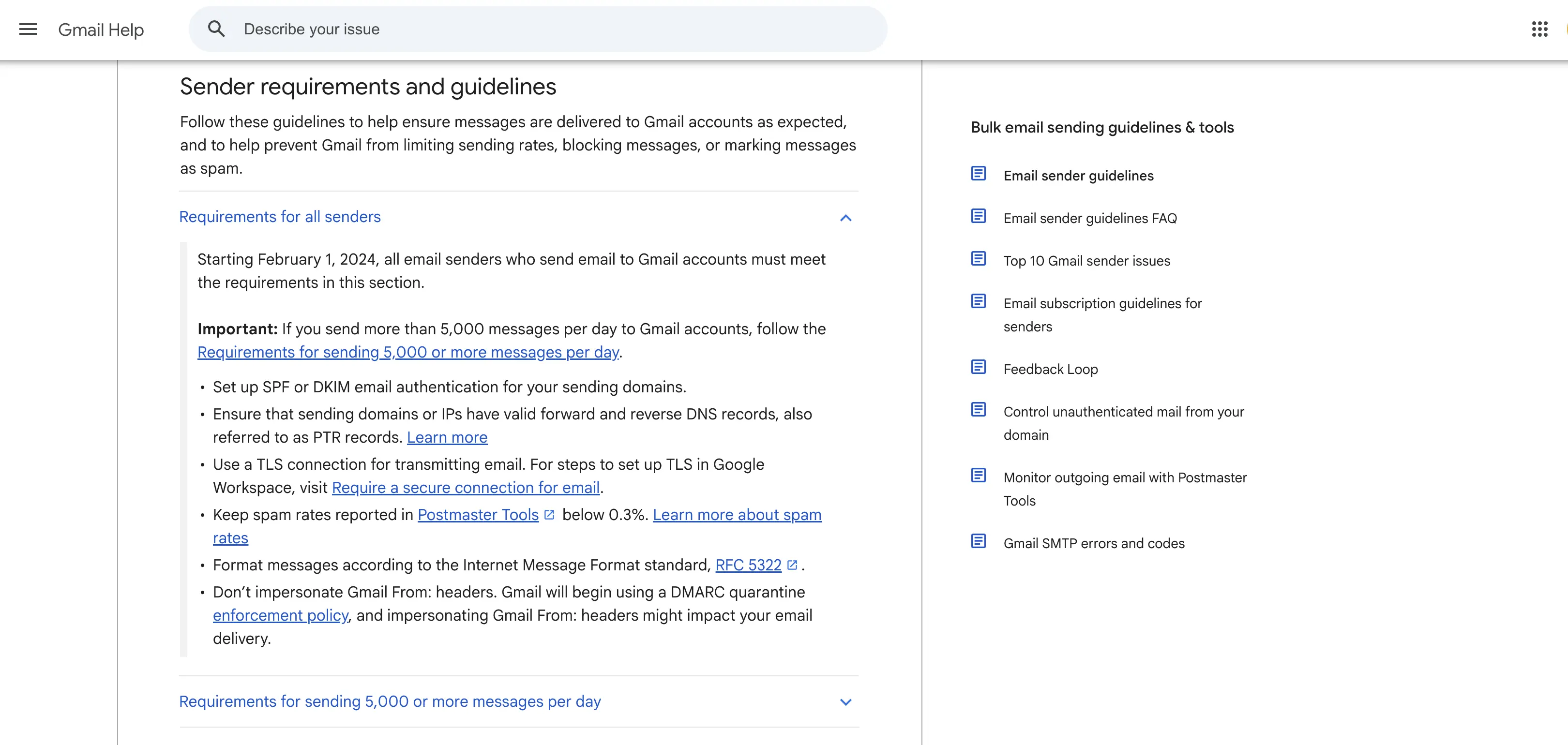
One note on scale: Gmail classifies you as a "bulk sender" once you send close to 5,000 messages in 24 hours to personal Gmail accounts, counted across your entire primary domain and all its subdomains.
Bulk senders face stricter, enforced requirements. Everyone else should still follow the same practices, because Gmail applies a lighter version of the same rules below that threshold too.
1. Authenticate your domain with SPF, DKIM, and DMARC
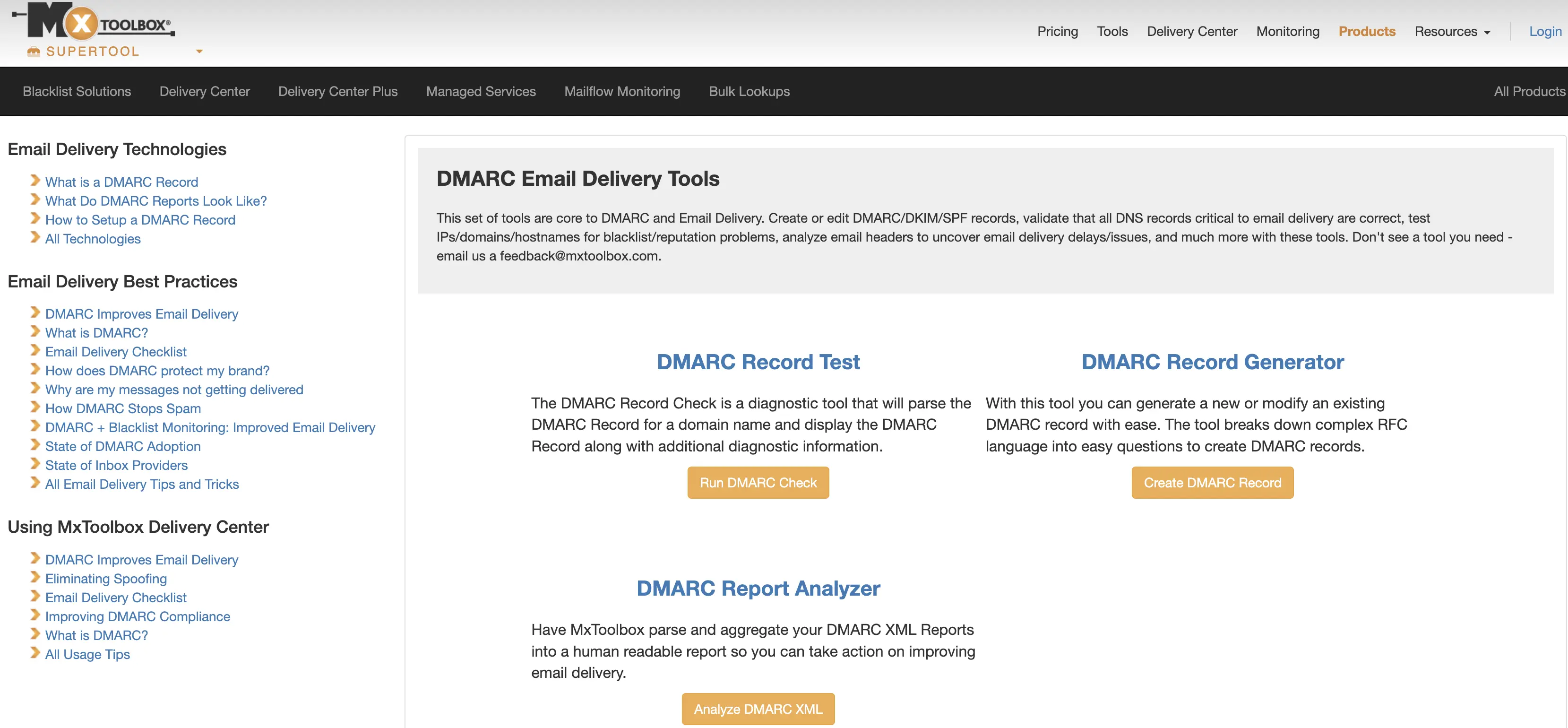
Authentication is the floor. Without it, Gmail and Yahoo have no way to confirm the email claiming to be from your domain actually came from you.
Publish an SPF record listing every server allowed to send on your domain's behalf.
Turn on DKIM signing in your sending platform so each message carries a verified signature.
Add a DMARC record with at least a policy of
p=noneto start collecting reports.
Only one of SPF or DKIM needs to align with your visible From: address for Gmail's alignment check to pass, though Gmail recommends aligning both. A missing DMARC record is one of the most common causes of bulk mail getting rate-limited, flagged by Gmail's own error code 4.7.31.
Confirm it worked: run your domain through a free SPF/DKIM/DMARC checker and confirm all three show as passing and aligned before you send your next campaign.
2. Watch your spam complaint rate before it watches you
Your spam rate is the single number mailbox providers weigh most heavily. Gmail's own guidance: keep it below 0.1%, and never let it reach 0.3%. Cross that ceiling and Gmail won't offer delivery support or mitigation, and it stays that way until your rate holds below 0.3% for seven straight days.
Reputation damage compounds. A 5,000-person list with 6 spam reports is already at 0.12%, over Gmail's recommended threshold, and most senders don't realize they've crossed it until open rates quietly drop.
Confirm it worked: check your spam rate in Google Postmaster Tools after your next send. If it's under 0.1%, you're inside Gmail's safe range.
3. Keep your list clean before every send
Sending to addresses that bounce, don't exist, or haven't opened anything in a year tells mailbox providers you don't maintain your list, which is exactly the signal spam filters are built to catch.
Remove hard bounces immediately after each send; they won't come back.
Run a re-engagement campaign for subscribers inactive 6 to 12 months, then remove anyone who doesn't respond.
Verify new addresses at signup rather than after they've already damaged a send.
Read Also: How to Encrypt Email in Outlook (Windows, Mac, and web)
4. Make unsubscribing effortless
Gmail, Yahoo, and Apple all require one click unsubscribe on marketing and promotional mail, following a technical spec called RFC 8058. A plain unsubscribe link in your email footer doesn't meet this requirement on its own; it has to run through a List Unsubscribe header, not just body text or a mailto link.
Google's own sender guidelines FAQ put it plainly: "we recommend that you fulfill unsubscribe requests within 48 hours," since slow removals show up as spam reports instead.
Transactional messages, like password resets or order confirmations, are exempt from this requirement.
5. Monitor with Postmaster Tools, and know it changed
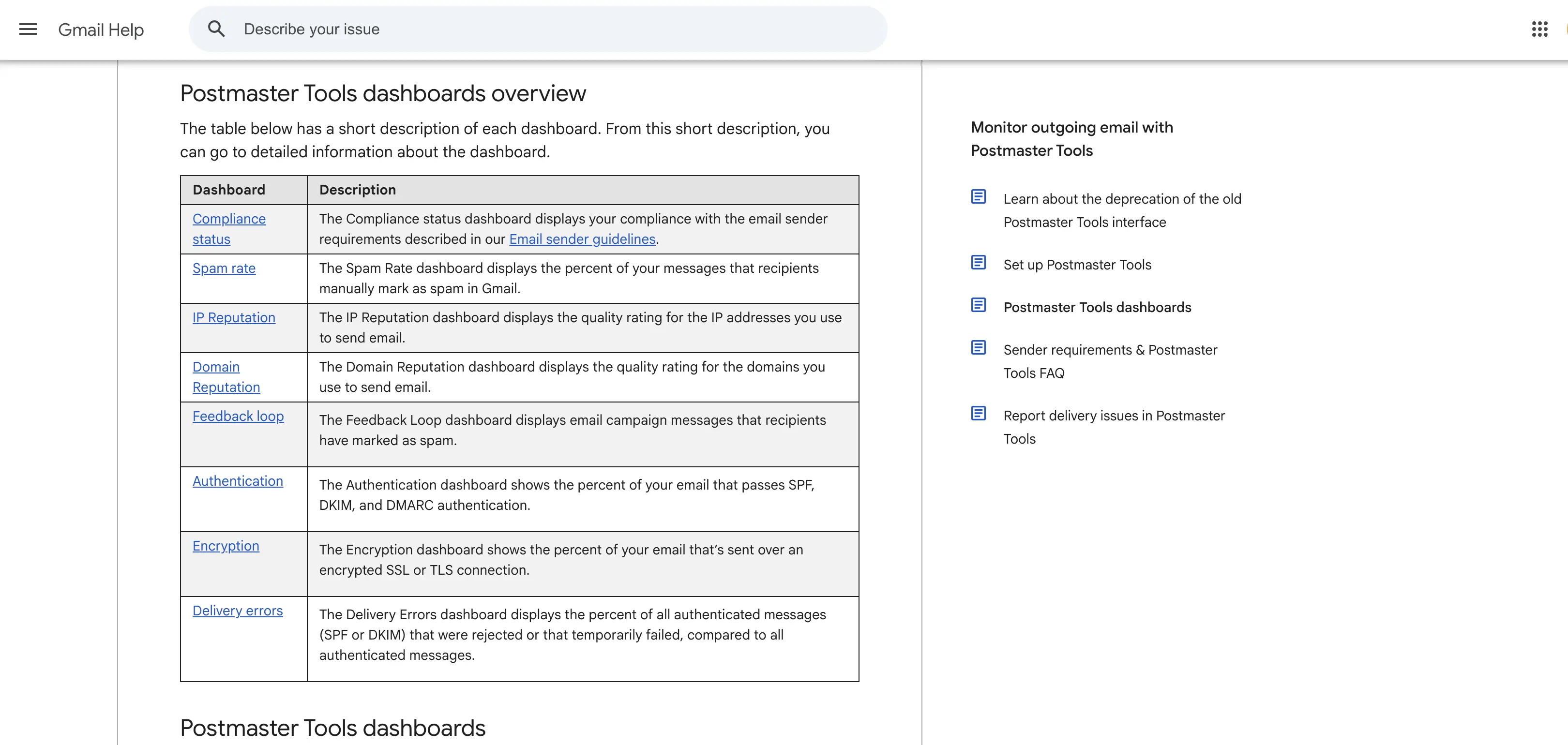
If you last checked Google Postmaster Tools before late 2025, the dashboard you remember doesn't exist anymore. The old High, Medium, Low, and Bad domain reputation rating was retired when Google fully shut down the v1 interface on October 31, 2025. The replacement, v2, is built around a compliance status view instead: pass or fail against each sender requirement, rather than a single reputation score.
Several deliverability guides still describe or screenshot the old reputation buckets as if they're current. They aren't. If you're auditing a domain today, the dashboard you're looking at should show individual compliance checks (SPF, DKIM, DMARC, TLS, spam rate), not a stoplight rating.
What mailbox providers actually see when they score you
Every message you send gets evaluated on the same handful of signals before Gmail or Yahoo decide where it lands: whether SPF, DKIM, and DMARC pass and align, your domain and IP's sending history, how often recipients open or delete without reading, and your spam complaint rate over the trailing days. None of this is visible in your own send dashboard. A message can show "delivered" in your ESP and still sit in someone's spam folder, because delivered only means the receiving server accepted the message at the SMTP level. What happens after that is entirely up to the mailbox provider.
Troubleshooting for Email deliverability Best Practices
My emails pass authentication but still land in spam. Authentication only proves you're really you; it doesn't prove your content or sending behavior is wanted. Check your spam complaint rate and recent engagement first. A support thread on Adobe's Marketo community makes this exact point: a sudden spike in send volume to a list that normally sees smaller sends can push otherwise engaged recipients into spam, even with clean authentication, because inbox providers read a sudden spike as suspicious behavior.
I got a 4.7.30 or 5.7.30 error code. That's Gmail telling you DKIM failed to verify on that message. Recheck your DNS record for typos and confirm your sending platform is actually signing outgoing mail, not just displaying a signed-looking header.
My unsubscribe link is in every email, but complaints haven't dropped. A footer link isn't enough. Confirm you're sending proper List-Unsubscribe headers per RFC 8058, not just a clickable link in the body.
I'm under the 5,000-message bulk sender threshold. Do these rules still apply to me? Gmail's strict enforcement targets bulk senders, but the same signals (spam rate, authentication, engagement) affect smaller senders too, just with more room for error before anything gets rejected.
Read Also: Best Email Prospecting Tools in 2026
FAQ for Email deliverability Best Practices
What is a good email deliverability rate?
Most healthy commercial senders land in the inbox around 85 to 90% of the time. Anything meaningfully below that usually traces back to spam complaints, weak authentication, or a stale list.
What's the difference between email delivery and deliverability?
Delivery means the receiving server accepted your message at the SMTP level. Deliverability means it actually reached the inbox rather than spam or junk. A domain can show a 99% delivery rate while a large share of those messages never reach the primary inbox.
Do I need SPF, DKIM, and DMARC if I send under 5,000 emails a day?
Yes. Gmail's authentication requirements technically apply to any sender reaching personal Gmail accounts, not just bulk senders, though enforcement is strictest above the 5,000-message threshold.
How long does it take to fix a damaged sender reputation?
There's no fixed timeline, but Gmail specifically requires a spam rate under 0.3% for seven consecutive days before restoring mitigation eligibility for bulk senders. Most senders see gradual improvement over several weeks of clean sending.
Does a dedicated IP address improve deliverability?
A dedicated IP puts your reputation entirely in your own hands, good or bad. It only helps if you can sustain enough consistent volume to build a reputation on it; low, sporadic volume on a dedicated IP often performs worse than a shared IP with an established history.
Email deliverability Best Practices Explained
Practice | Fixes | How to verify |
|---|---|---|
SPF, DKIM, DMARC | Failed authentication, spoofing risk | Free DNS lookup tool shows all three passing |
Spam rate under 0.1% | Filtering, rate limiting | Google Postmaster Tools, spam rate tab |
List hygiene | Bounces, stale-list flags | Bounce rate stays under 2% per send |
One-click unsubscribe (RFC 8058) | Rising complaint rate | List-Unsubscribe header present in message source |
Postmaster Tools monitoring | Reputation blind spots | Compliance dashboard shows pass on every check |
Where this leaves you
None of this is complicated on its own. What trips senders up is treating it as a one-time setup instead of something to recheck after every list change, platform migration, or spike in send volume. Authenticate once, then monitor continuously; that's the actual difference between senders who stay in the inbox and senders who spend every quarter wondering why they don't.