How to choose a prospecting tool without getting locked into the wrong one
A framework for pricing a prospecting tool by real cost per contact, not sticker price, covering credit burn, contract lock in terms, and accuracy claims.
 Michael Doyle11 min read
A prospecting tool finds, checks, or organizes the people you plan to sell to. Most buyers judge one by its plan price alone. That is the wrong number. Apollo prices a phone credit at roughly eight times an email credit, and independent checks on accuracy claims often land far below the number on the pricing page.
What you need before you start
Selling itself is not this tool's job. It finds people who match your target list. It also checks whether their contact details are real, and in some tools starts the first outreach step. Everything before that stage, building a target profile and qualifying who is worth contacting, and everything after it, follow up and close, is a separate process covered in what sales prospecting actually involves.
Before you price anything, know two numbers about your own team: how many new contacts you need in a normal month, and how much of that number you could still work by hand if the tool underdelivered. Both change which plan actually fits.
Who is buying | Typical monthly contact need | What usually breaks the deal |
|---|---|---|
A founder selling directly | Under 200 | Per seat pricing built for a team, not one person |
An SDR on a small team | 500 to 2,000 | Phone or enrichment credits running out mid month |
An agency running client lists | 2,000 to 10,000 across accounts | A contract sized for one account's volume |
An enterprise or account based team | 10,000 plus, account focused | Per seat cost multiplying across a large team |
Work out which category you actually need
Vendors blur these categories on purpose, because a platform that does more looks like better value on the pricing page. Four categories cover almost everything sold as a prospecting tool.
Contact databases and sales intelligence tools
This category finds and verifies a person's contact details and company data. LinkedIn Sales Navigator, Apollo, ZoomInfo, Cognism, and Lusha sit here. None of them send your outreach on their own. A full comparison of ten platforms in this space, scored on accuracy and price, sits in a separate roundup of sales prospecting tools.
Sales engagement and outreach platforms
Sequencing and sending the outreach, then tracking opens and replies, is the job here. HubSpot Sales Hub, Reply.io, and Lemlist are built around it. Some bundle in their own contact discovery; most do not, so check before you assume one plan covers both jobs.
AI SDR and AI prospecting tools
Automating pieces of research, message writing, and sending inside one workflow is what this category promises, and it is newer than the other three, so claims vary widely between vendors. What one of these actually is, and what it is not, is covered in what an AI SDR does.
Sales enablement and account based tools
Sales enablement tools manage training, content, and call coaching for reps already selling. They are not built to find new contacts at all. Account based platforms sit closer to prospecting.
They group contacts by target account rather than by individual, which matters most for enterprise sellers, and account based marketing tools covers that group on its own.
Category | What it actually does | What it is not |
|---|---|---|
Contact database or sales intelligence tool | Finds and verifies a person's contact details and company data | Does not send messages or track replies by itself |
Sales engagement platform | Sequences and sends outreach, tracks opens and replies | Does not always include its own contact discovery |
AI SDR or AI prospecting tool | Automates parts of research, writing, and sending in one workflow | Still needs a real, checked contact list underneath it |
Sales enablement tool | Manages content, training, and coaching for reps already selling | Not built to find new contacts at all |
Convert the sticker price into cost per usable contact
Every pricing page leads with a number per seat or per month. None of them lead with the number that decides whether the plan pays for itself: what you pay for each contact you can actually reach, once the ones that bounce, fail a lookup, or never get verified are subtracted.
The formula
Monthly plan price, plus any add on fees for phone numbers or extra credits, divided by credits included, multiplied by your real usable rate, gives you cost per usable contact.
Your real usable rate is not the vendor's advertised accuracy. It is the share of last month's list that you actually reached, counted from your own inbox.
A number I checked myself
I priced one public plan on 14 September 2026 instead of taking a vendor's headline number at face value. Hunter's published Starter plan runs $49 a month, or $34 a month billed annually, for 2,000 credits. Its own credit table prices a verified email at half a credit and a freshly found email at a full credit. That is the whole trick.
The same $49 buys roughly 4,000 verifications or 2,000 new finds, never both at once at the number printed on the pricing page. The two paths against that one credit pool look like this.
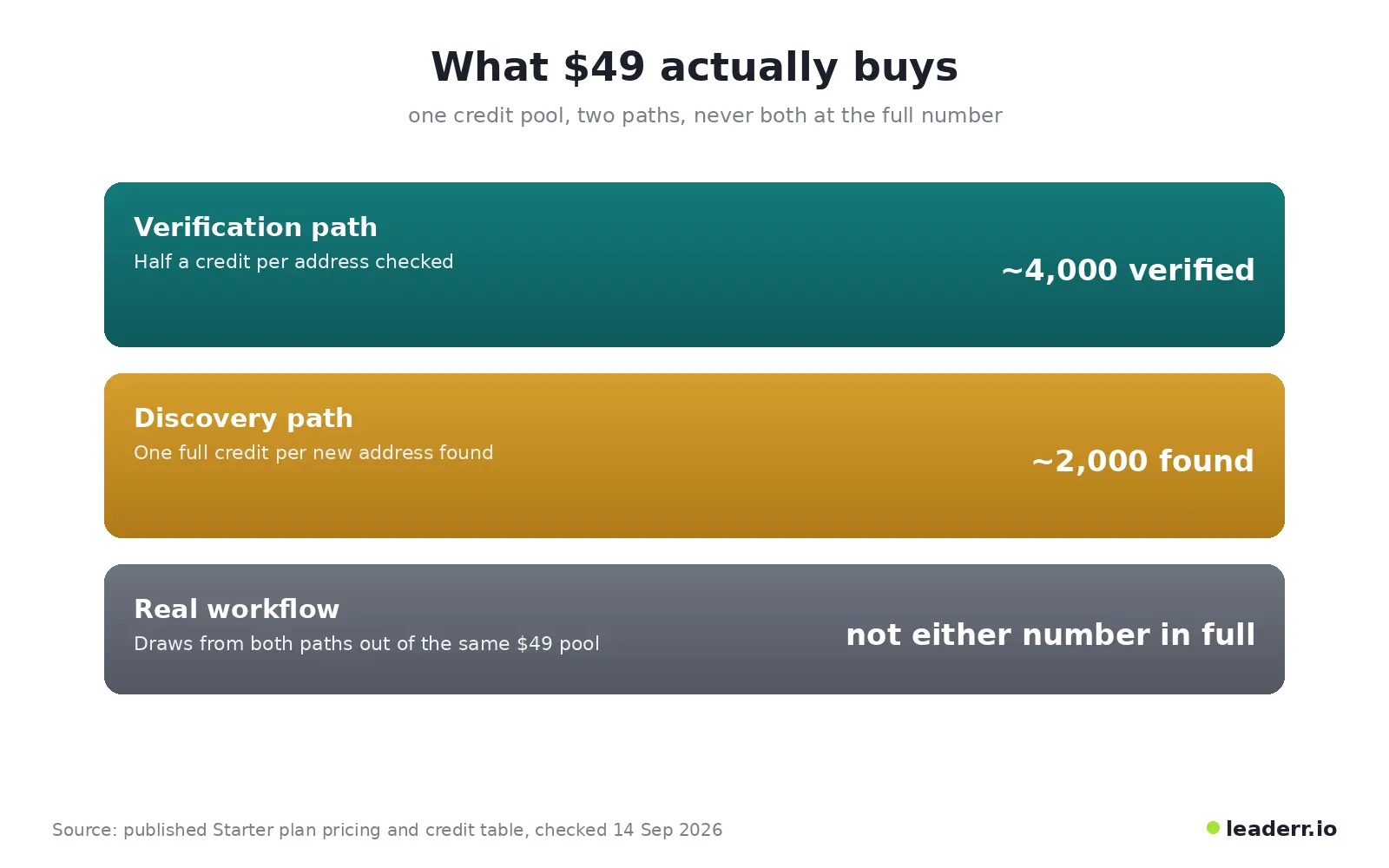
A plan sized around one path runs out fast the moment real work pulls from both. Run your own numbers through the formula above, using your own bounce rate, not a vendor's claim.
The plan that looked cheapest on the comparison chart can turn out to be the most expensive one per contact you can use.
Check how the credits actually burn
A single combined credit number on a pricing page hides several different burn rates underneath it.
Phone credits burn faster than email credits
Apollo prices a phone number credit at roughly eight times an email credit, so a plan sized around email volume runs out fast the moment a team starts pulling phone numbers through the same workflow.
Failed lookups still cost you
Clay's workflow charges a credit for an enrichment attempt that comes back empty, not only for the ones that return a usable result. That single line item adds up fast. Lemlist prices a phone credit at 20 per number and up to 400 for a single intent signal, numbers that rarely show up on anyone's radar until the invoice does.
Read the contract before the trial ends
A monthly price on the plan page tells you nothing about the term you are actually signing. ZoomInfo commonly runs on a 60 day auto renewal window, with a price increase arriving in the renewal notice rather than a fresh quote.
Reply.io publishes a three month minimum with no self serve cancellation. Lemlist's top tier requires an annual term and a minimum of five paid senders, whether or not your team is that size yet.
What to check before you sign
How many days of notice the vendor gives before auto renewal, stated plainly, not buried in a linked terms page
Whether the renewal price is fixed or can increase without a new signature from your side
Whether a minimum term exists, and what cancelling before it ends: the relationship, or just future charges
Whether the plan locks a fixed seat count, and what happens to the price if your team shrinks
Who owns the exported contact list once the contract ends
Ask how the accuracy number was actually measured
Apollo advertises accuracy around 91 percent. Checks run against real delivery, rather than the vendor's own claim, commonly land between 65 and 80 percent. Cognism advertises 87 percent or higher.
None of these figures share one measurement method, one sample size, or one definition of a correct result, so lining them up side by side compares nothing real.
Pricing trap | What the plan page shows | What actually happens |
|---|---|---|
Credit burn | One combined credit number | Phone, enrichment, and signal credits often drain at different rates on the same plan |
Contract length | A monthly price | Some plans lock a full year or renew automatically at a higher price |
Accuracy claims | A single headline percentage | Each vendor measures accuracy a different way, so the numbers cannot be compared |
Seat pricing | A price for the whole team | Cost rises per person added, even when contact volume stays flat |
Laid out side by side, the four traps look like this.
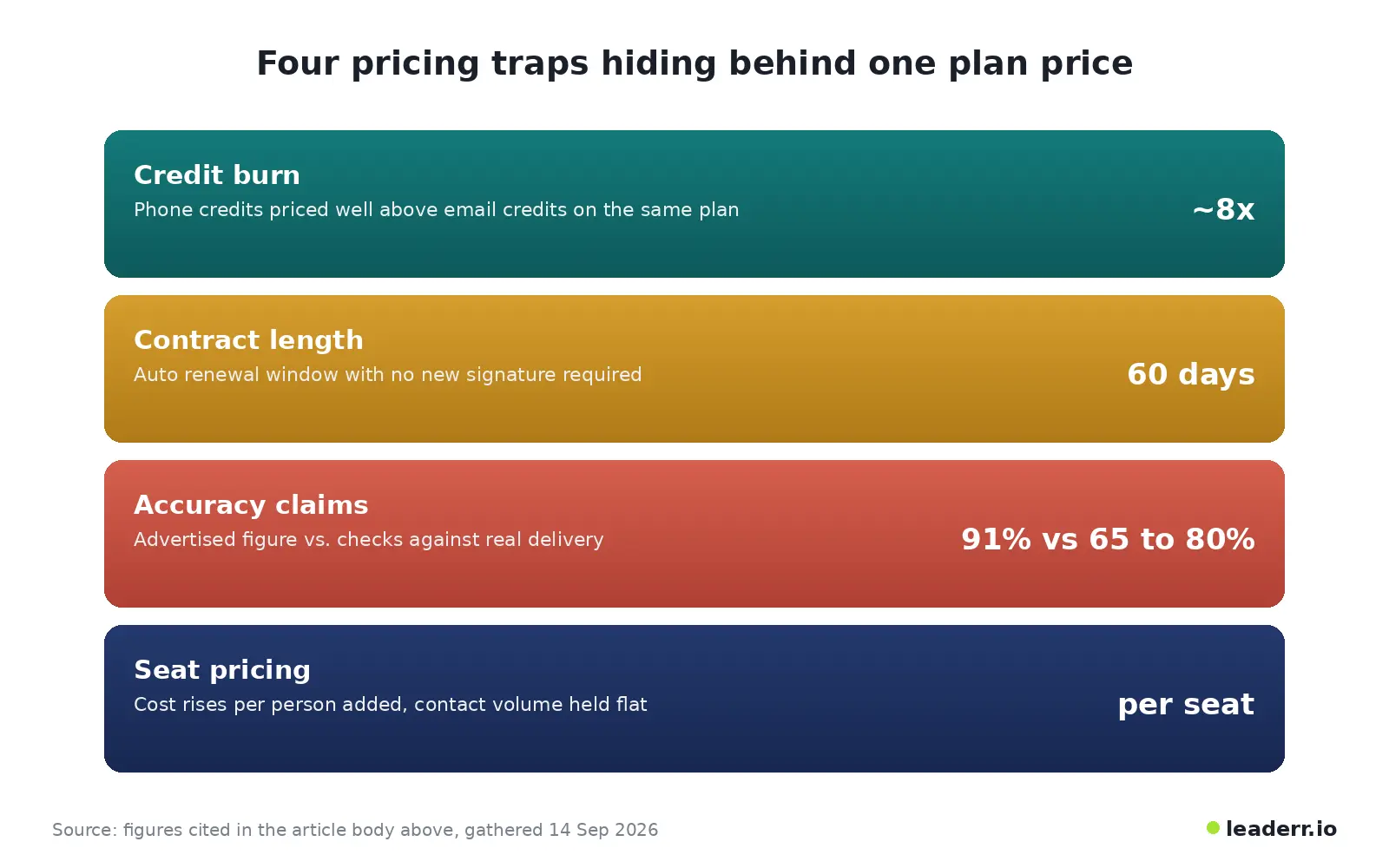
The plan page shows one of those four numbers, if you are lucky. It never shows all four together.
The cost per usable contact worksheet
Copy this and fill in your own numbers before you sign anything, or before you renew what you already have.
Monthly plan price: ______ Add on fees, phone or extra credits: ______ Credits included per month: ______ Your real usable rate, from last month's inbox, as a decimal such as 0.7: ______ Cost per usable contact: (plan price plus add on fees) divided by (credits included multiplied by your real usable rate)
What usually goes wrong after you sign
Symptom | Likely cause | Fix |
|---|---|---|
Credits run out before the month ends | Phone or enrichment credits burn faster than the plan assumed | Recalculate cost per usable contact with this month's real credit mix, not last month's |
The renewal invoice is higher than quoted | An auto renewal clause increased the price without a new signature | Set a reminder 75 days before renewal, ahead of most 60 day notice windows |
Reply rates drop even though list size did not change | The accuracy figure on the plan page was never independently checked | Re check a small batch against your own inbox and compare it to the vendor's claimed number |
Two tools on the team do the same job | Nobody mapped tool overlap before the second one was bought | Compare both tools against the category table above before either one renews |
A verified review on G2 shows what the second row of that table looks like from the buyer's side. A small business director who reviewed a contact database platform described her contract renewing automatically with a price increase after a single email notice, with support offering only to move the same spend to a different product rather than lower it.
The review is not an isolated complaint. It is a validated reviewer, not an anonymous post, describing the same renewal window named on the pricing pages above.
FAQs
How do I choose the right prospecting tool?
Start with your monthly contact need and your team size from the table above. Then run the plan you are considering through the cost per usable contact formula before comparing feature lists.
A cheaper sticker price with a low real usable rate often costs more per contact than a pricier plan with better accuracy.
What is the difference between a prospecting tool and a CRM?
A CRM stores and tracks contacts you already have a relationship with. A prospecting tool finds and checks contacts you do not have yet. Many teams already own a CRM with a basic contact search built in.
Check that first. It can save you from paying twice for the same job.
Do prospecting tools comply with data privacy regulations?
Most major vendors publish compliance pages for regulations like GDPR and CCPA, but compliance is enforced at the point of use, not by the tool alone. How you store, contact, and eventually delete a prospect's data is your responsibility once it leaves the vendor's database.
What happens to your data and lists if you cancel?
This varies by vendor and is rarely stated on the pricing page. Ask directly, in writing, before you sign: whether exported lists stay usable after cancellation, and whether any enrichment you paid for is deleted from the vendor's side once the contract ends.
Can prospecting tools integrate with my existing CRM?
Most contact database and sales engagement platforms connect to major CRMs through a native integration or a paid add on. Check whether the sync runs one way or two ways, since a one way sync can quietly duplicate contacts your team already qualified.
The number worth checking before the demo ends
A demo shows you the interface. It never shows you the renewal date or the real usable rate. Both matter more than any feature on the call.
Guidance and sources reviewed 14 September 2026.
About the author
Michael Doyle writes about B2B sales at Leaderr. He covers prospecting, cold outreach, sales data, and pipeline building, with a focus on what actually works for SDRs, founders selling on their own, and small sales teams. Connect with him on LinkedIn.